ENVOC
LA Wallet
Designing the nation's first digital driver's license, and the verification system built to be trusted by the person carrying the ID and the person checking it.
- 1st Digital Driver’s License in the Nation
- 2.2M+ Active Users
- 250+ Airport TSA Integrations
Overview
Credential design that protects the resident and satisfies the verifier, at the scale of a state
LA Wallet is a digital credential wallet that puts every Louisiana state ID and license on a single phone, from the driver's license and vehicle registration to Real ID, Medicaid, and concealed carry. It was the first digital driver's license approved in the country, which meant there was no pattern to copy, no competitor to study, and no proof yet that a state credential could live on a phone and still be trusted by the people who rely on it.
I designed the wallet structure and its detail pages, the onboarding, and the verification flows, and I created the original brand, logo, and app icon. I also contributed a lot of the product thinking that shaped the platform, working alongside the product owner, the CEO, the engineers, and a state representative who was a key stakeholder. Being first meant the strategy questions and the design questions were the same questions, and they got answered together in the room rather than handed down.
The idea that steered all of it was that a digital ID is not really one product, it is two. There is the resident carrying the credential, who wants it fast and private, and there is the official checking it, who needs to know it is real and current in the moment they look. Those two people have opposite needs, and the whole thing only works if both of them trust it at the same time. Designing for that tension, instead of just digitizing a card, is what got 2.2 million residents to adopt it and what earned it federal recognition.
I designed the onboarding, the verification flows, and the wallet structure with its detail pages, and I created the original brand, logo, and app icon. I contributed a lot of the product strategy, working with the product owner, the CEO, the engineers, and a state representative as a key stakeholder to make LA Wallet real.
The Problem
A stack of plastic cards, and no way to prove any of them.
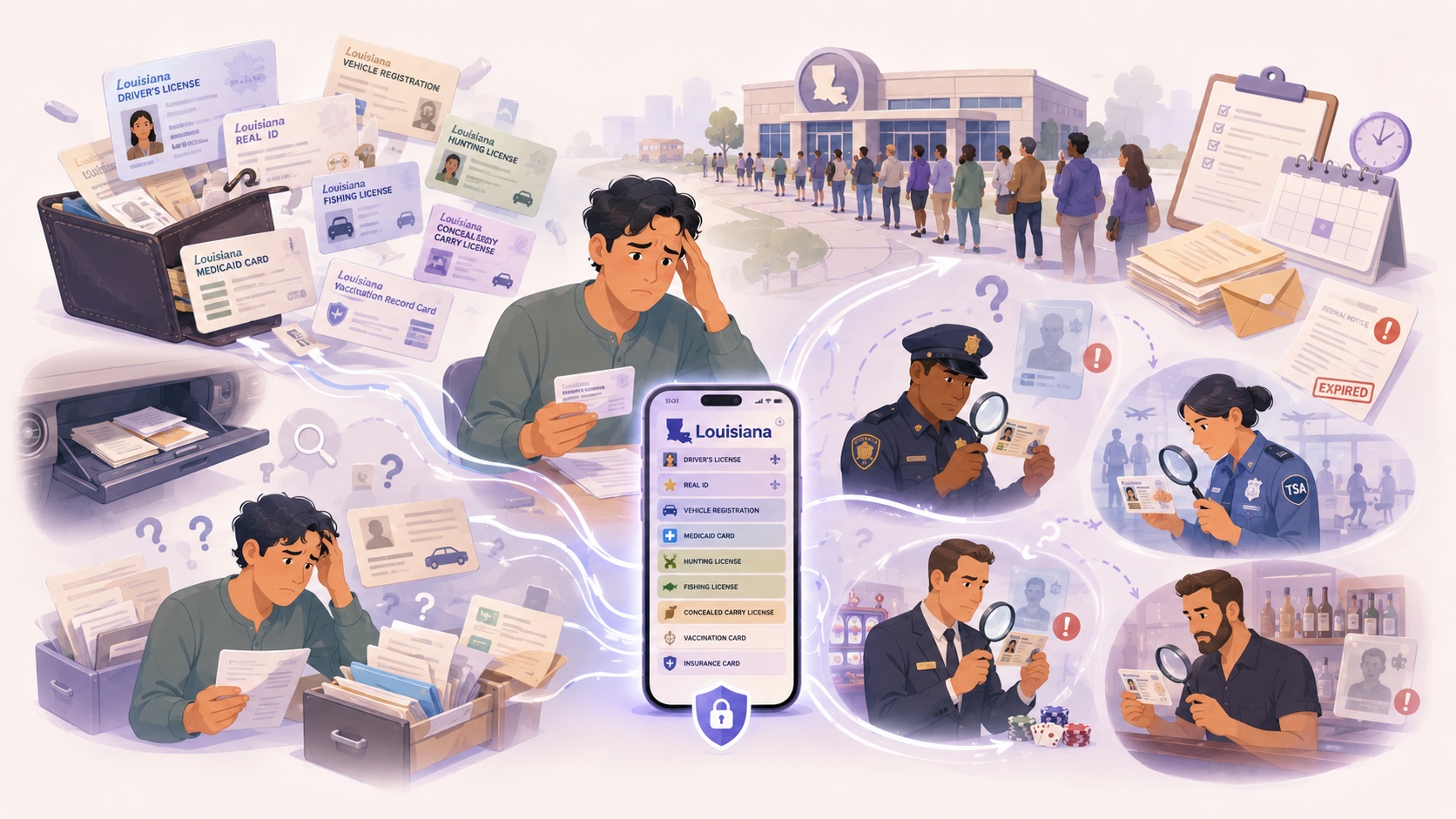
Every state credential in Louisiana lived on a plastic card. Driver's license, vehicle registration, Real ID, Medicaid, hunting and fishing permits, concealed carry, vaccine card. Easy to lose, slow to replace, and impossible to verify on the spot.
Two groups felt it. Residents carried a stack of cards and lost hours replacing them. Anyone checking an ID had nothing but a visual glance to go on, and a good fake passed that test every time.
There was no digital version of any of it, and no way to confirm a credential against the state's own records. Louisiana needed the first digital ID in the country to be trusted by the people who carry it and the people who check it, and that trust had to hold at the scale of an entire state.
-
Scattered credentials.
License, registration, permits, and more lived across a dozen physical cards with no single place to hold them.
-
DMV friction.
Renewing, replacing, or checking the status of any credential meant a trip to the DMV, the errand everyone avoids.
-
No way to verify.
Visual inspection was the only tool anyone had to catch a fake, and fake IDs were getting harder to spot.
The Core Tension
Protect the resident, or satisfy the verifier
A digital ID is only as good as the moment someone checks it, and that moment is where the two users collide. Open the verification up too far and you leak the resident's personal data to whoever happens to be looking. Lock it down too hard and it is useless to the officer or the TSA agent at a checkpoint, where speed and certainty are the whole point. Neither side can win at the other's expense, because the product dies the first time either one stops believing in it.
There was a quieter version of the same problem underneath. A stored credential, saved to the phone like a photo, is easy to show but easy to fake and quick to go stale. A live credential, read from the state in the moment, is trustworthy but has to be fast enough that nobody at a checkpoint notices the difference. So every decision came back to the same line: protect the resident, satisfy the verifier, and keep both of them fast.
Syncing a dozen credential types against live state records was a real systems problem, and it was not small. But it was not the hard part. The hard part was human. It was designing a single moment of trust that a nervous traveler, a skeptical bar owner, and a state trooper could all rely on without any of them having to think about how it worked.
The Solution
A live credential, not a stored one
The move that made everything else possible was deciding the credential should read live from the state database instead of being saved to the phone. It sounds like an engineering detail, but it was the strategic call the whole product turns on. A stored ID is just a picture, and a picture can be screenshotted, shared, faked, or left to go stale. A live credential is always current, and it can prove itself against the source of truth in the exact moment it is checked. Once the credential was live, a screenshot stopped being a threat, because a frozen image simply fails the check.
From there the strategy came down to designing for both users at once instead of treating the verifier as an afterthought. The resident gets a wallet that is quick to set up, pulls its data straight from state records so there is nothing to key in wrong, and surfaces the right credential in a tap. The verifier gets proof that is unmistakably real and current, delivered fast enough to work at a checkpoint, and revealing only what that specific moment requires rather than the resident's whole record.
Holding all of that together is a design system that treats a dozen different credential types as one coherent product. That mattered because the state was never going to stop adding credentials, so the wallet had to absorb new document types without a redesign every time. The five sections below are how these decisions played out, screen by screen, from the everyday license in your pocket to the scan that proves it is really yours.
Digital Driver's License
The credential you reach for most, one tap away
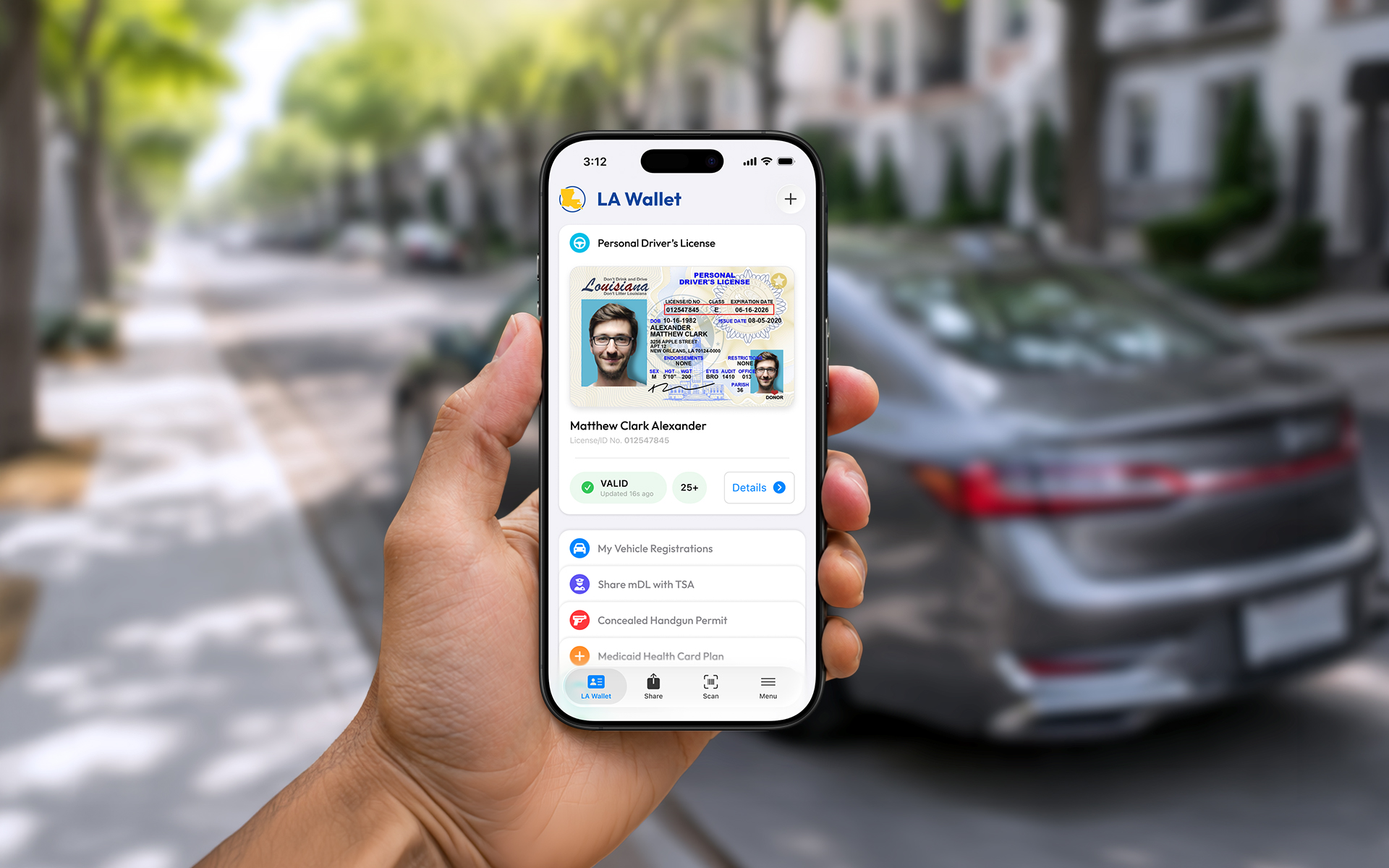
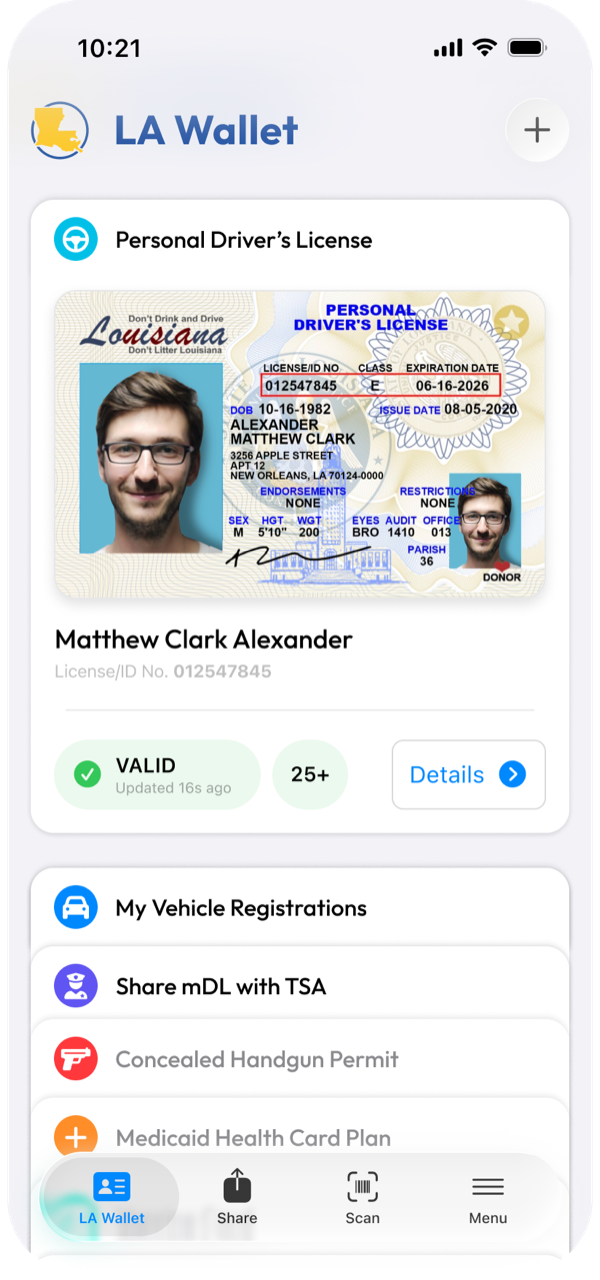
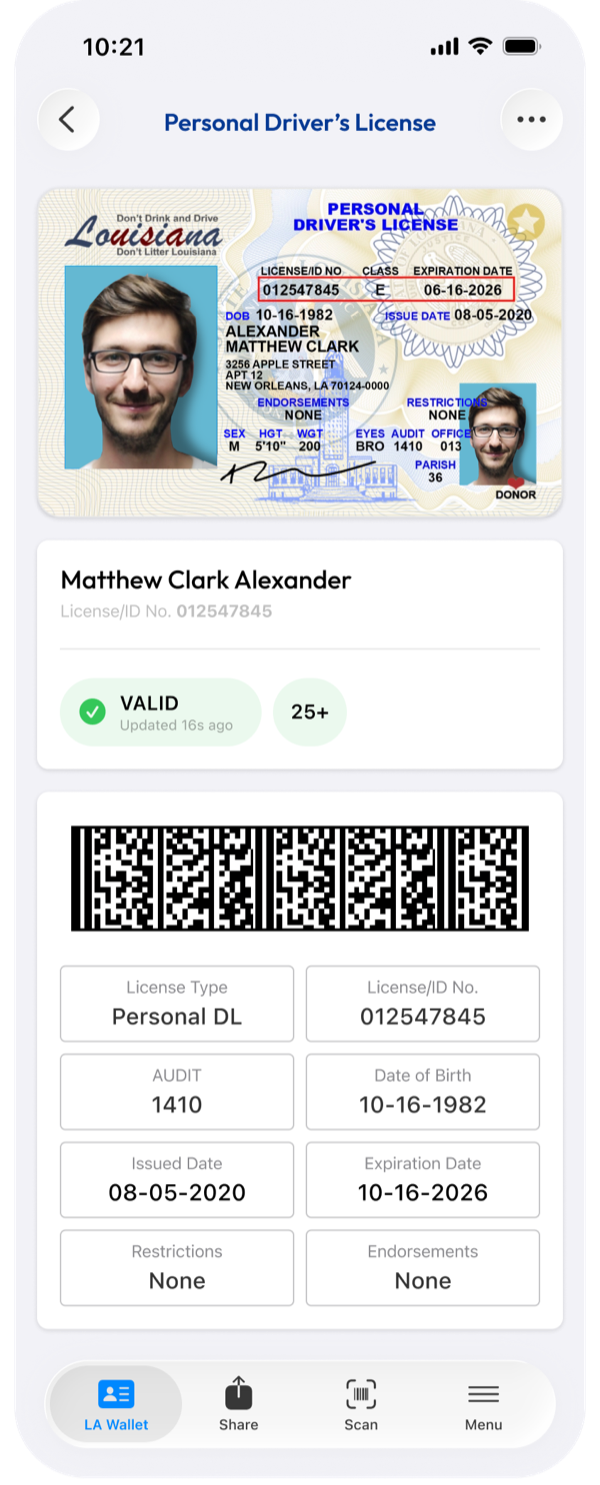
The driver's license is the credential people reach for most, so it sets the pattern for everything else in the wallet. Cards stack on the model people already know from Apple Wallet, with the driver's license on top by default, so the thing you need most is already in your hand.
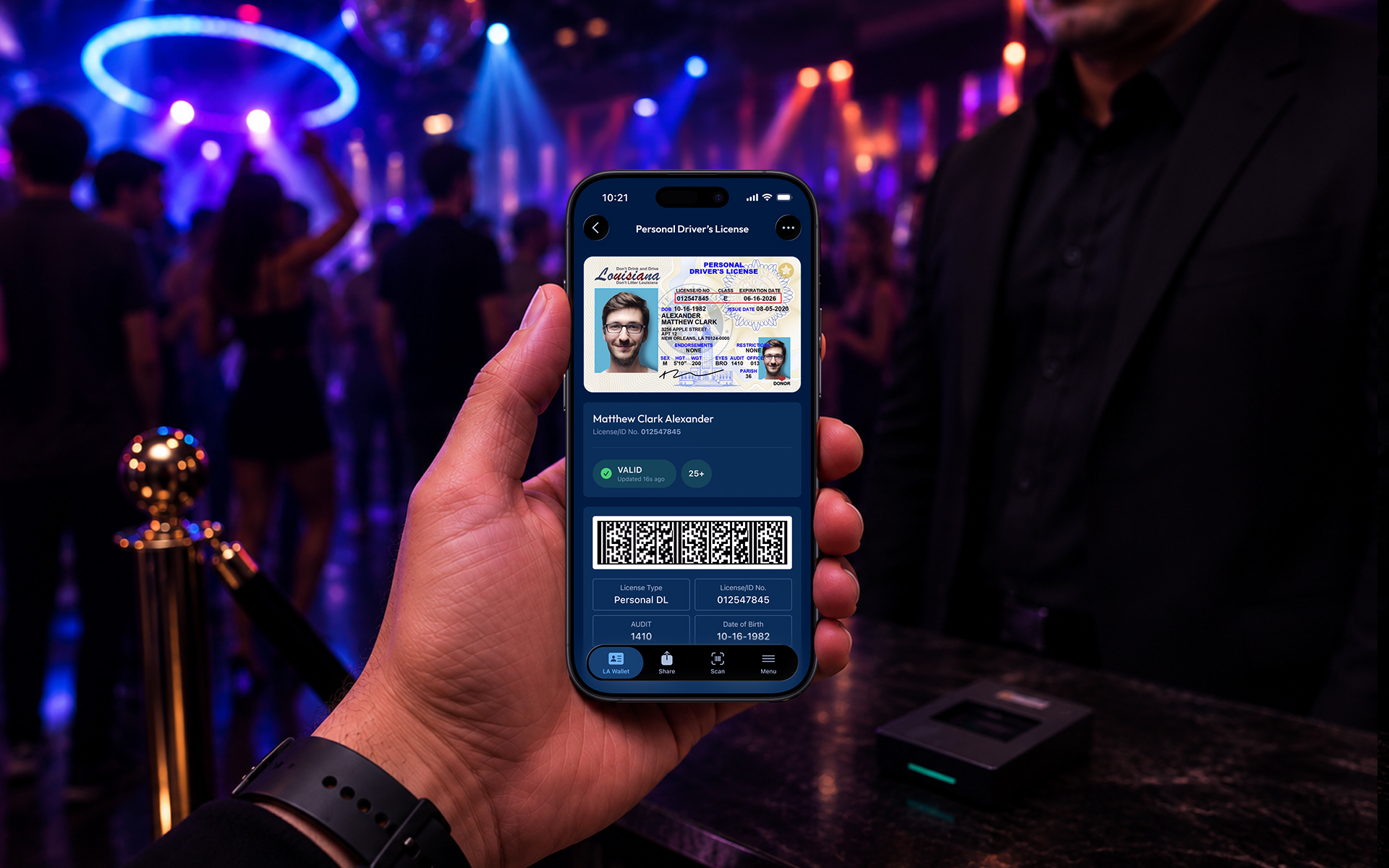
Where it goes further than a familiar wallet is the detail page. Tapping the card opens a full read-only record pulled live from the state, with a scannable barcode built in. That is the difference between showing a photo of an ID and presenting an ID that can prove itself. I designed the preview and the detail view as two halves of the same idea: quick recognition first, verifiable proof one tap deeper.
Vehicle Registration
License and registration, without the glove compartment
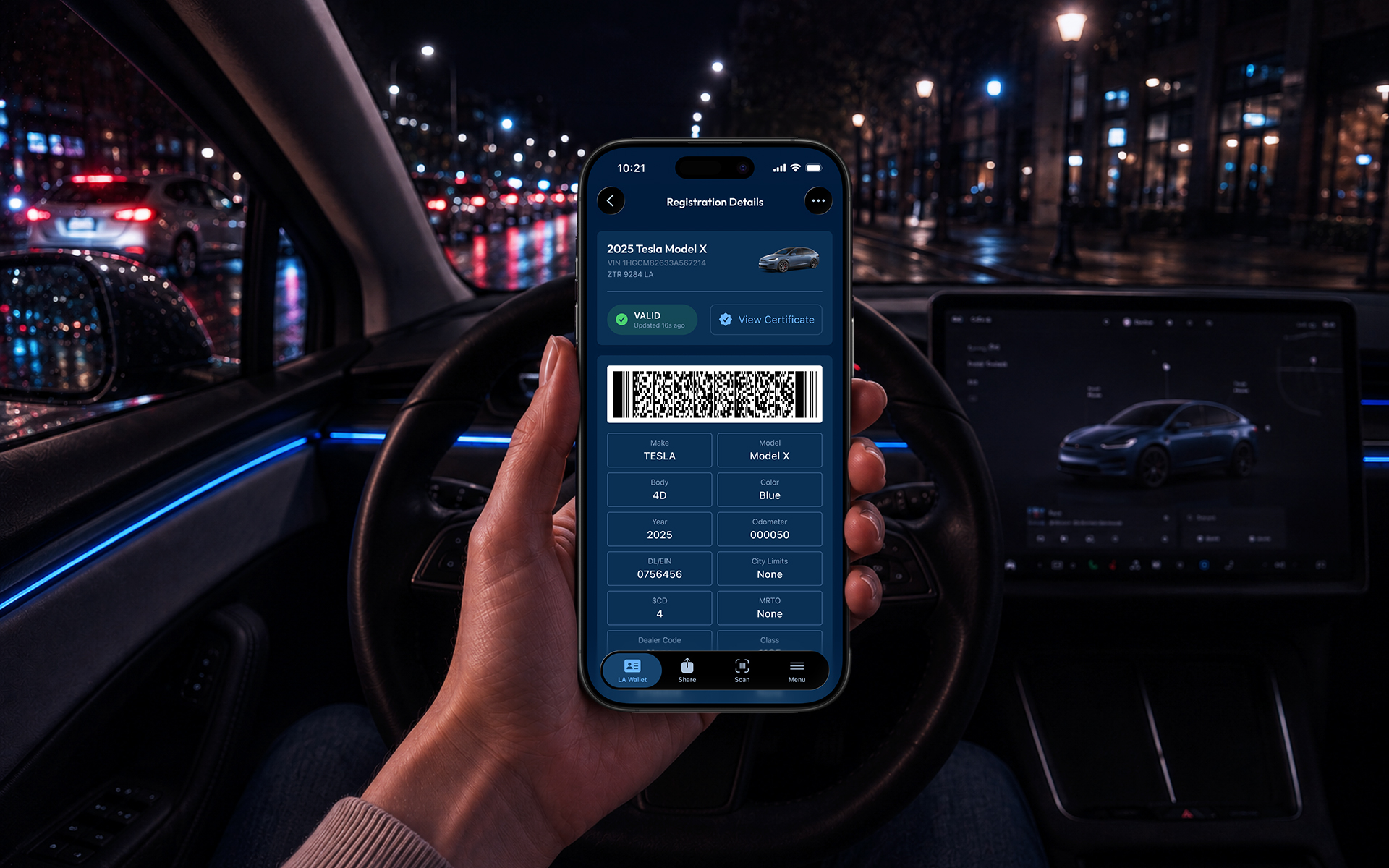
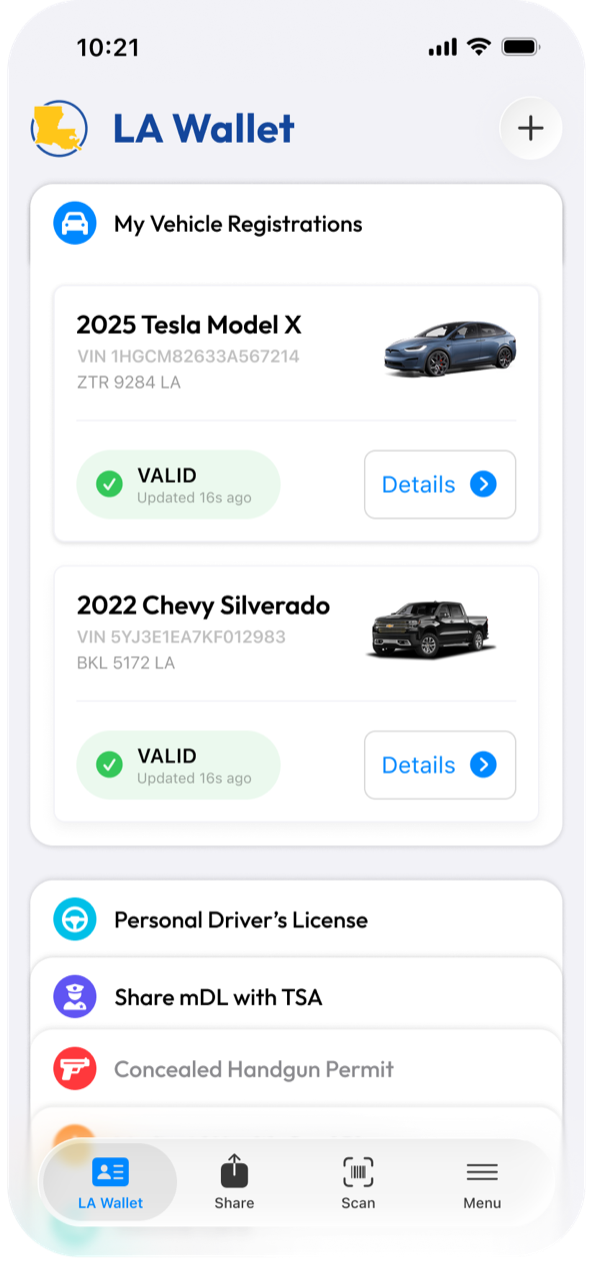
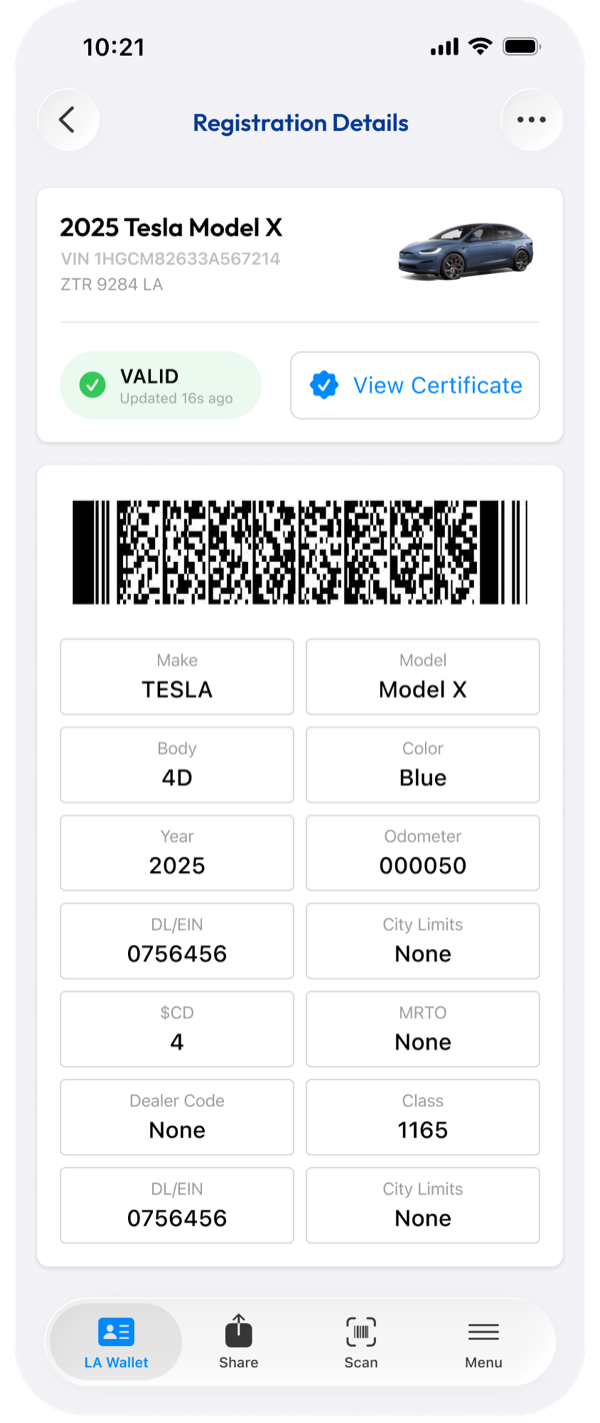
Vehicle registration is the credential you need at the worst possible time, on the side of the road during a traffic stop. So it follows the same two-part structure as the license, a clean preview you can surface fast and a detail page that carries the full record.
Because it reads from the state, the registration is always current, which quietly removes a whole category of problem: the out-of-date paper copy in the glovebox. The design job here was consistency. A resident should not have to relearn the interface for every credential, so registration behaves exactly like the license, and that predictability is what makes the wallet feel like one product instead of a pile of separate documents.
TSA Integration
Prove who you are without handing over your ID
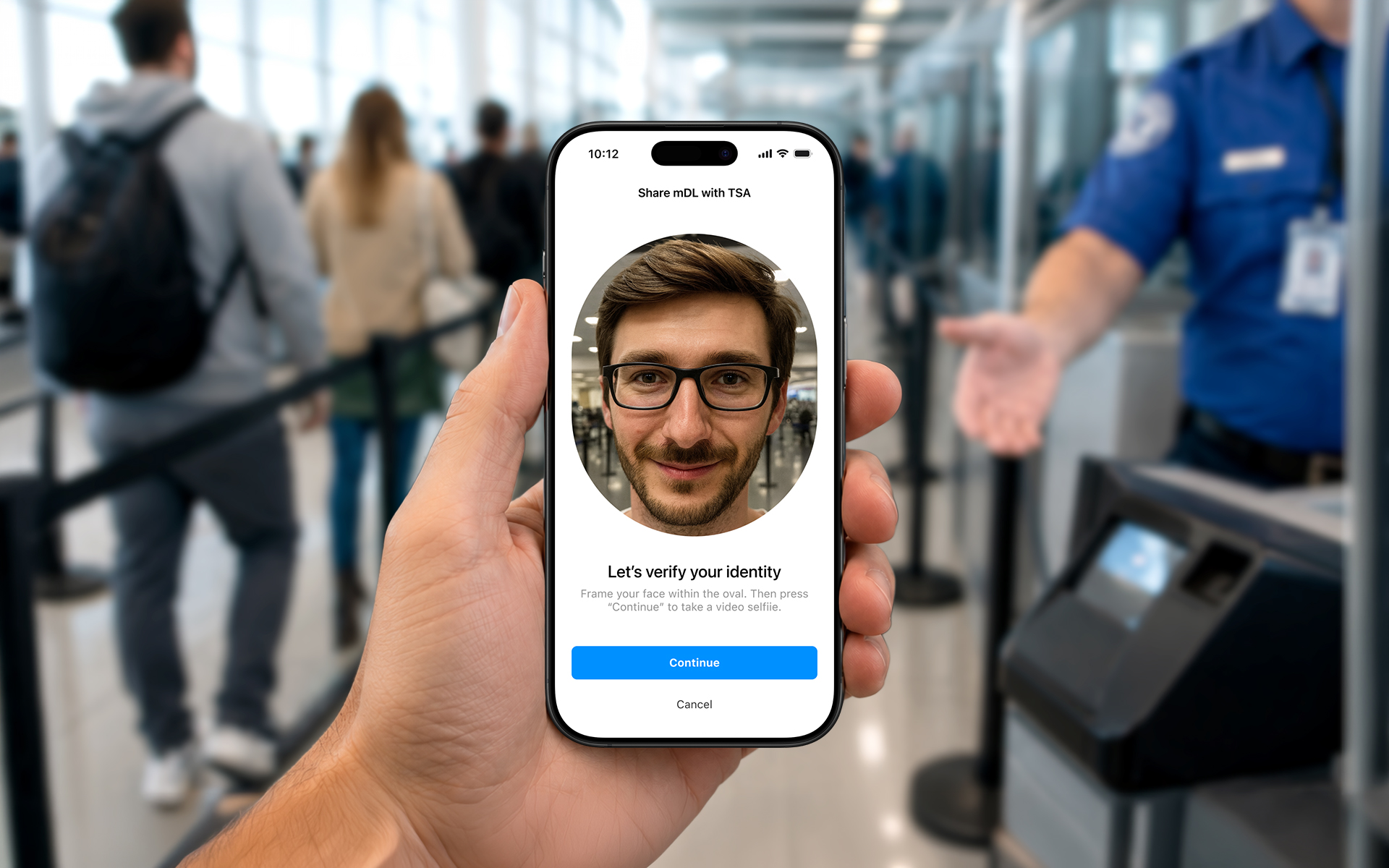
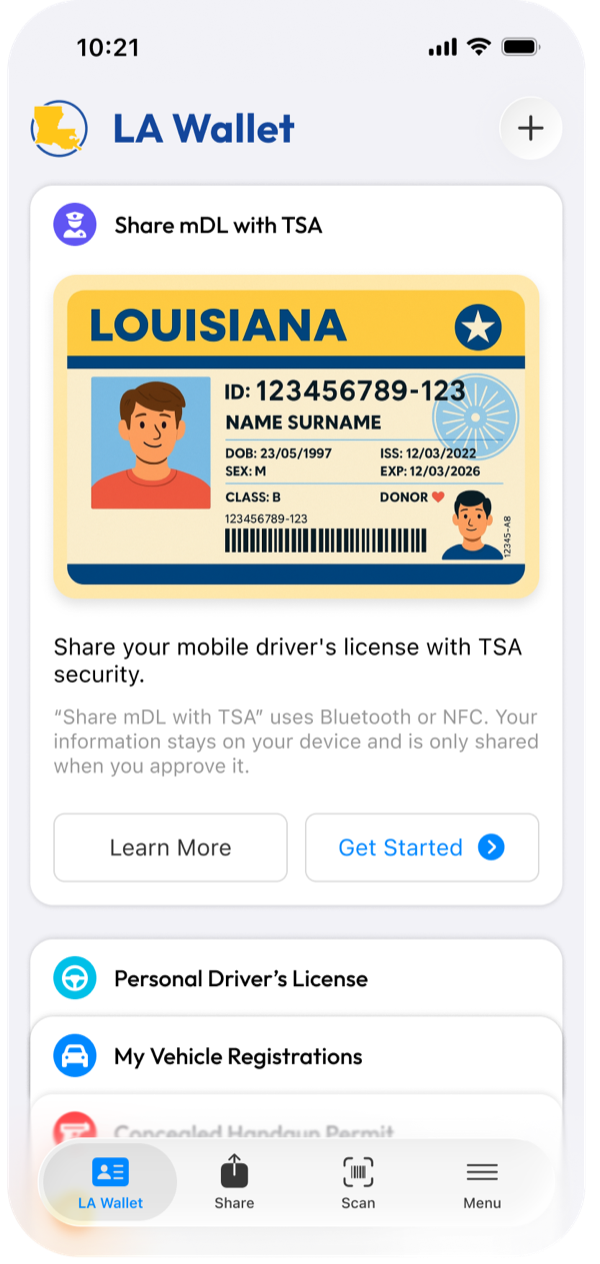
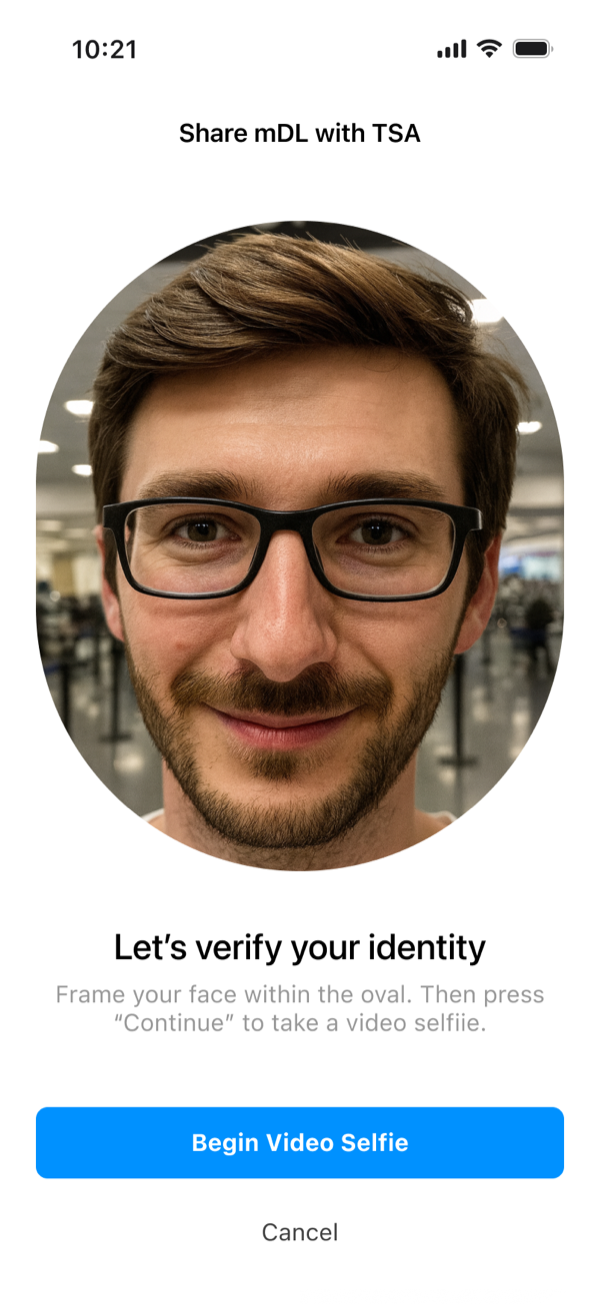
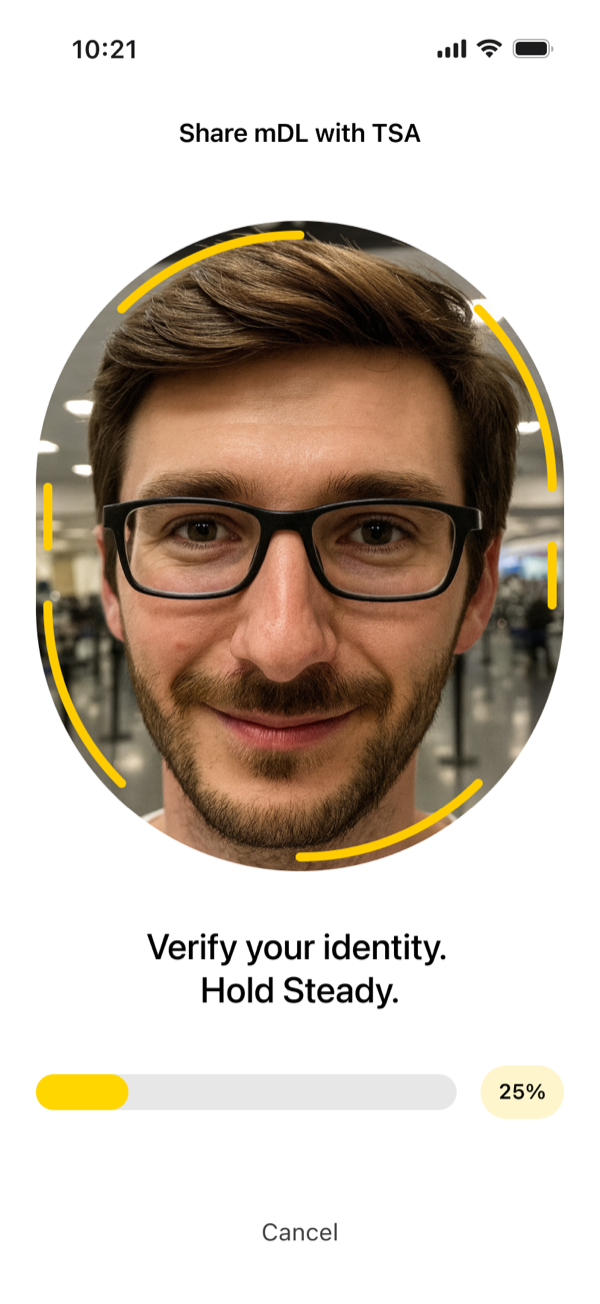
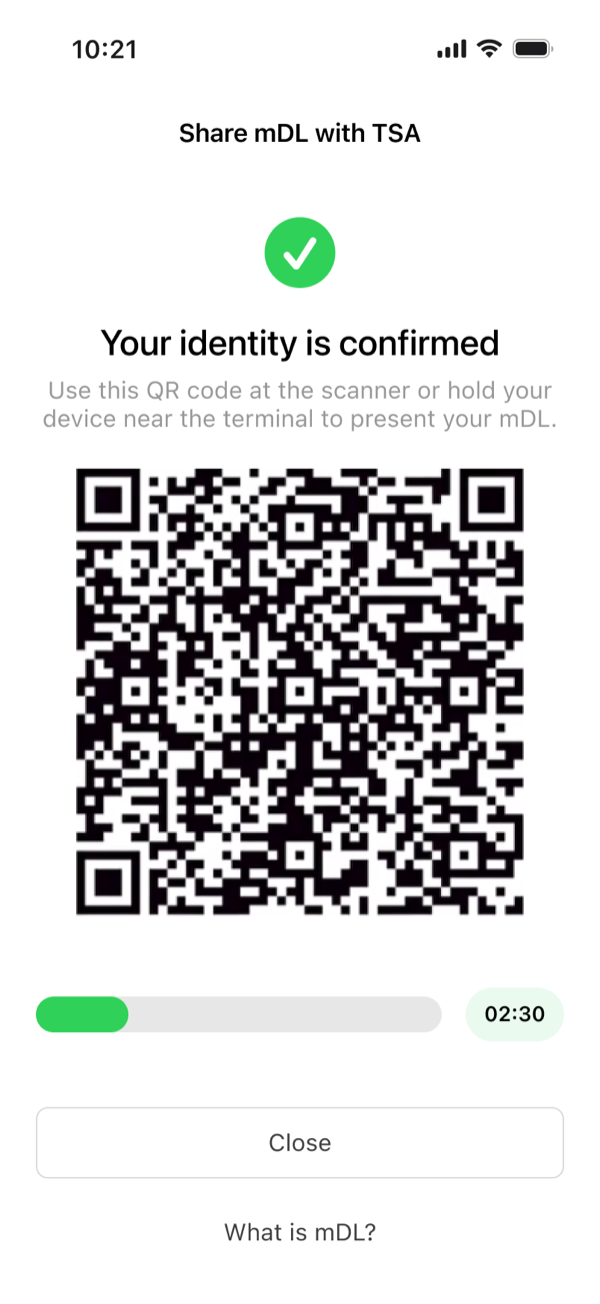
TSA is where the stakes and the scrutiny are highest, so the flow had to feel calm, fast, and obviously legitimate to an agent who has never seen your phone before. I designed it as a guided sequence rather than a single screen, because at a checkpoint every step needs to be unambiguous.
It moves from the entry preview, into a prompt to verify your identity, into a live face scan, and out to a TSA QR result that confirms the identity against the source of truth. A traveler who hesitates makes the agent trust the process less, so the whole sequence is built to keep the resident confident and the agent certain, both at once.
Verification and Authentication
An ID that is nearly impossible to fake
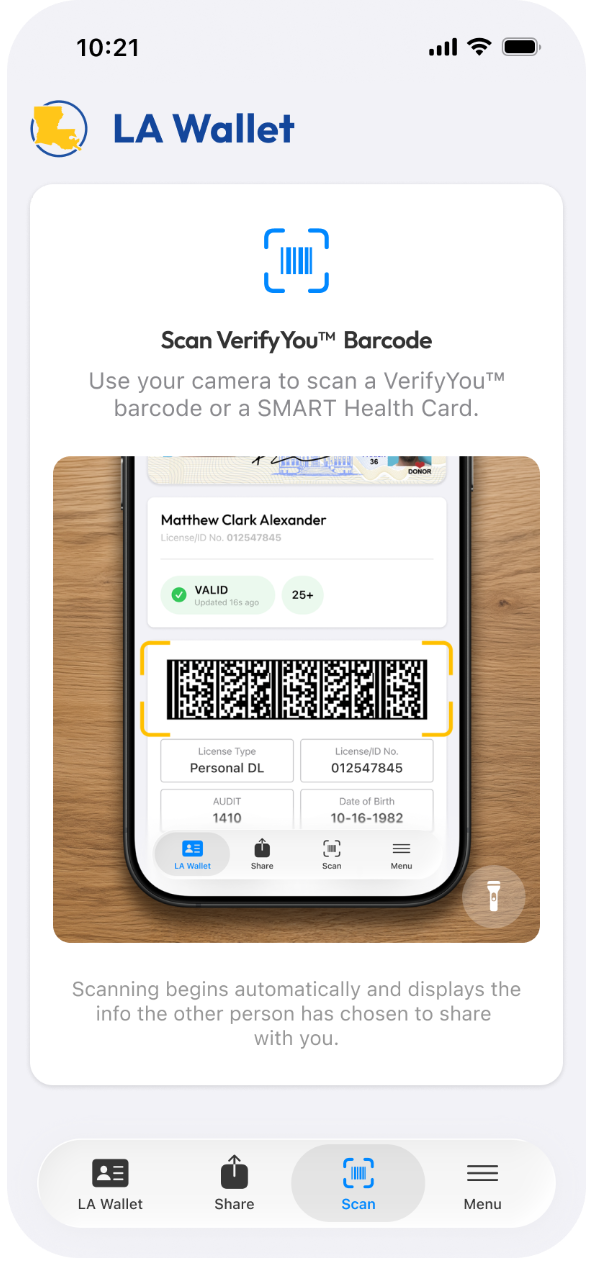
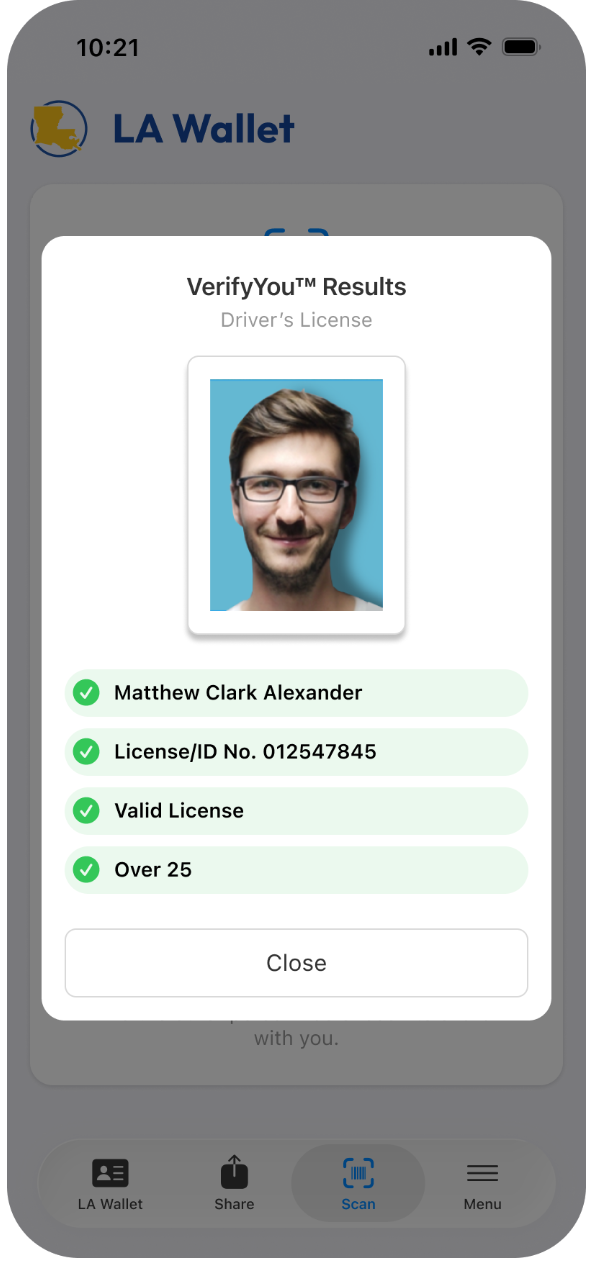
This is the section that reframed the whole product, because it designs for the user who never installs the app: the person checking someone else's ID. Scan Mode and VerifyYou let a business, a bar, or an officer scan the barcode from a resident's digital license or ID right off their device.
The result page is deliberate about showing only what the moment requires. It verifies the person's name, that the license is valid, and that they are over the age threshold, without dumping the resident's full record onto a stranger's screen. Treating the verifier as a first-class user is what made the read-only detail view, the live database calls, and the regenerating barcode necessary rather than optional. A screenshot freezes, so it fails against a live check, and a fake is obvious on sight.
The System Underneath
A brand and a system built to scale across every credential
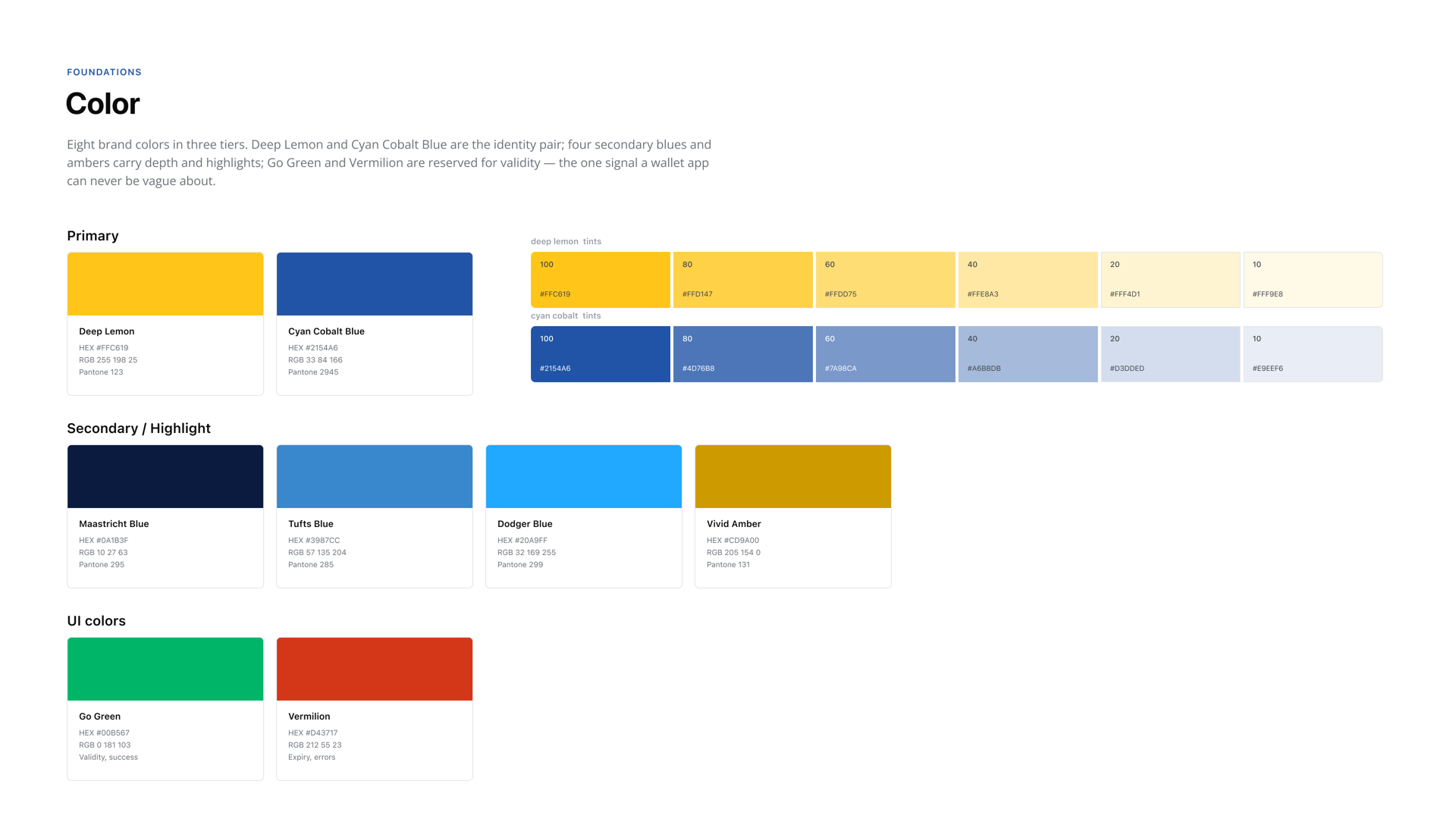
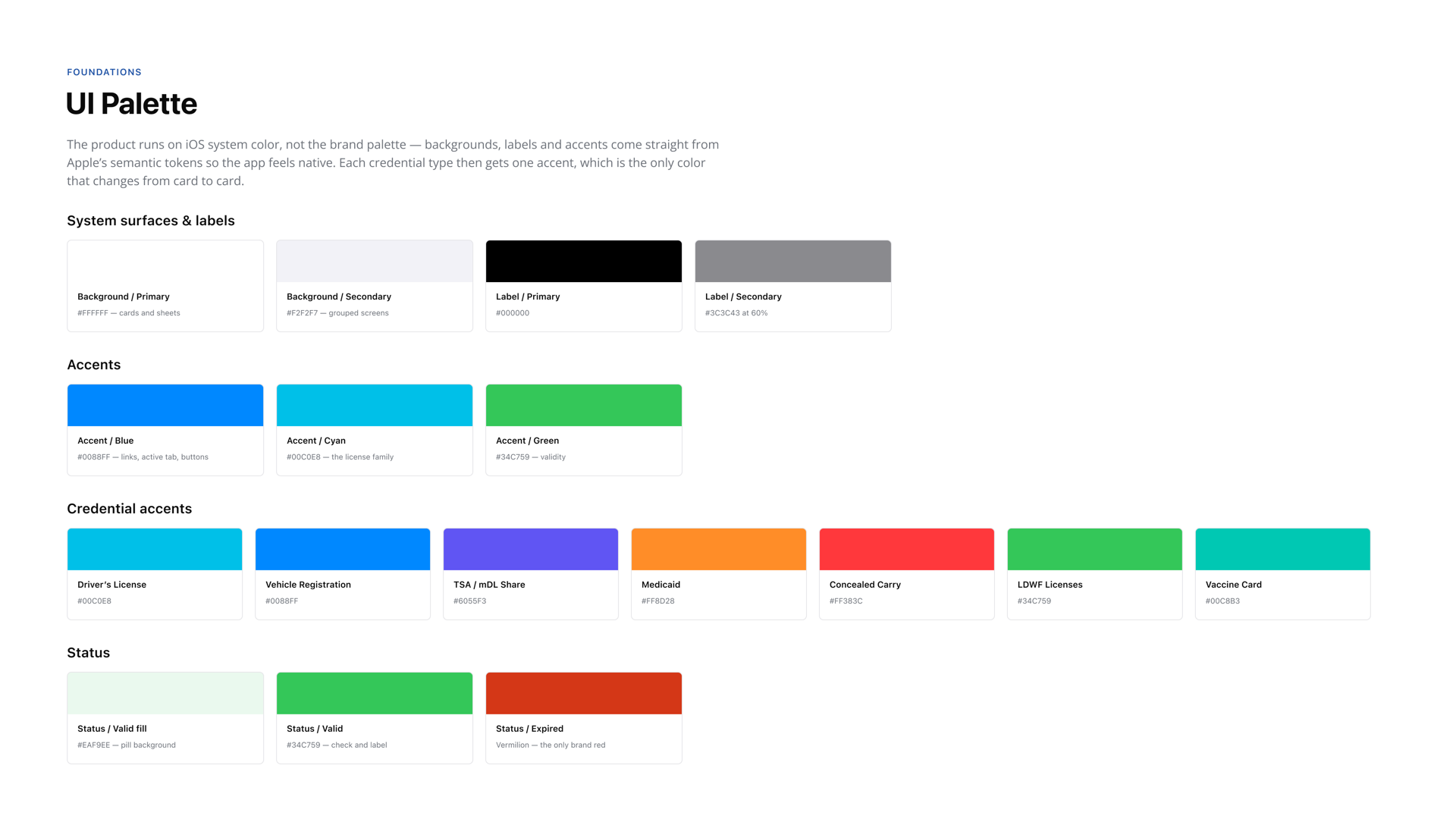
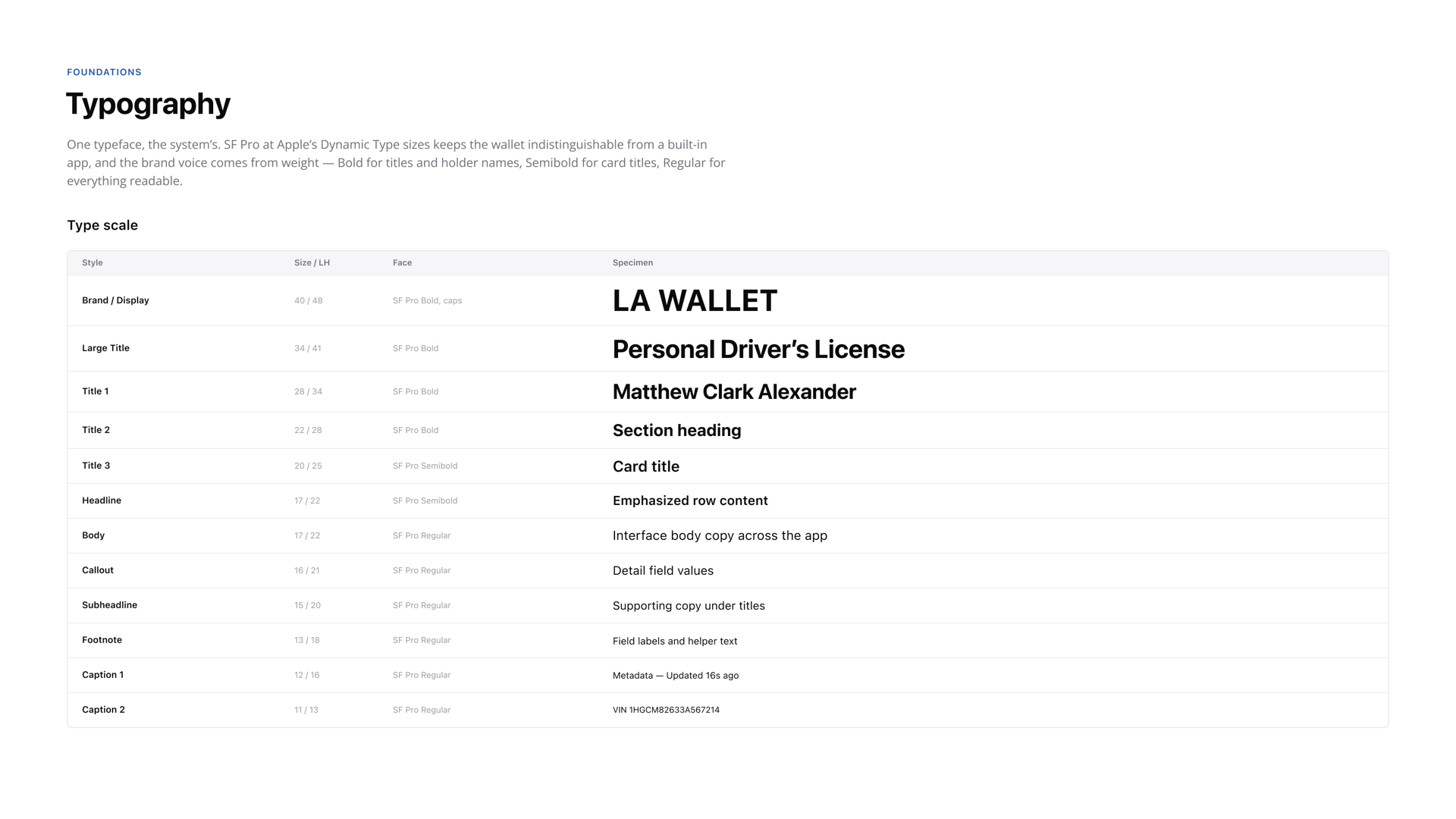
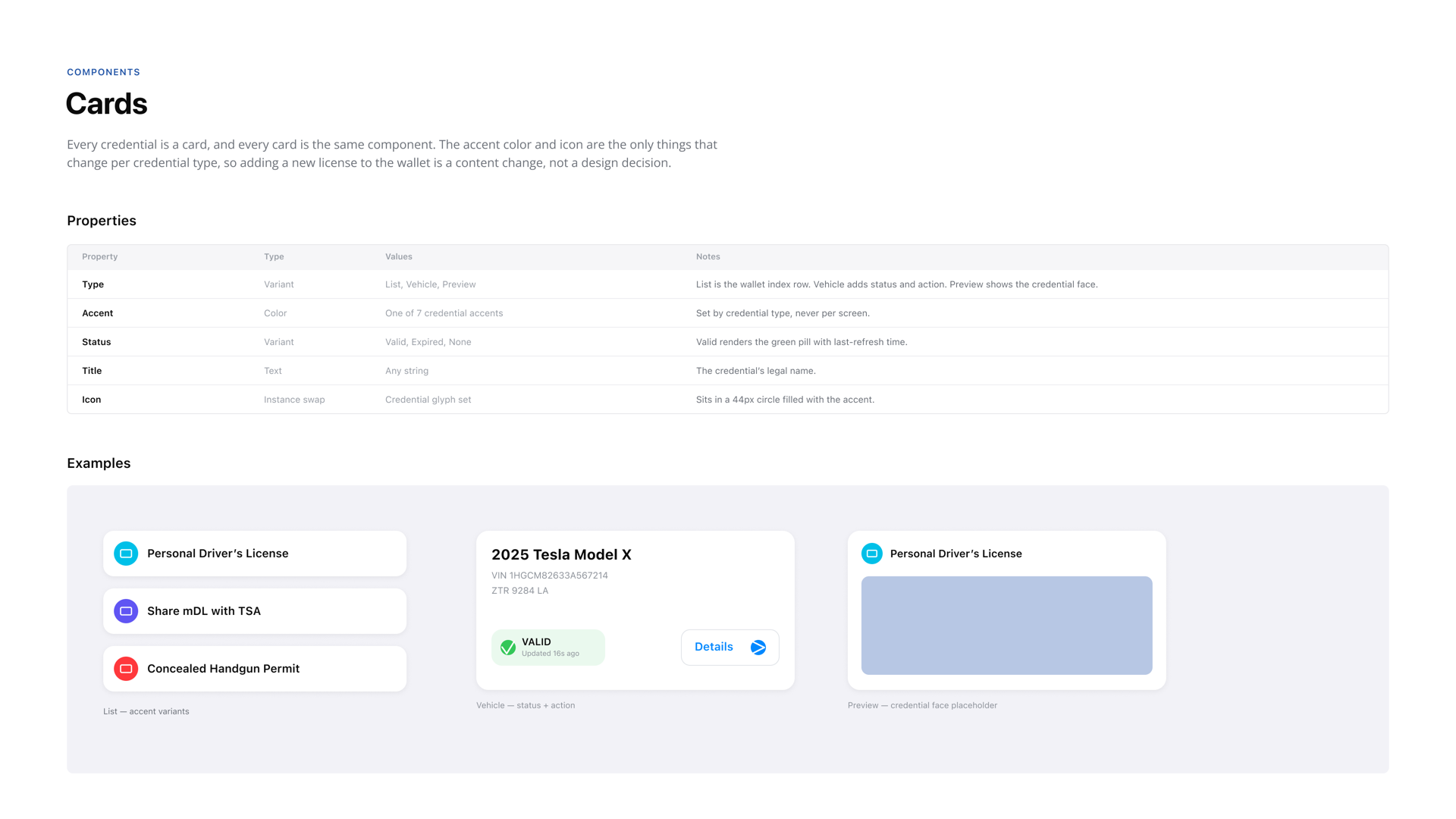
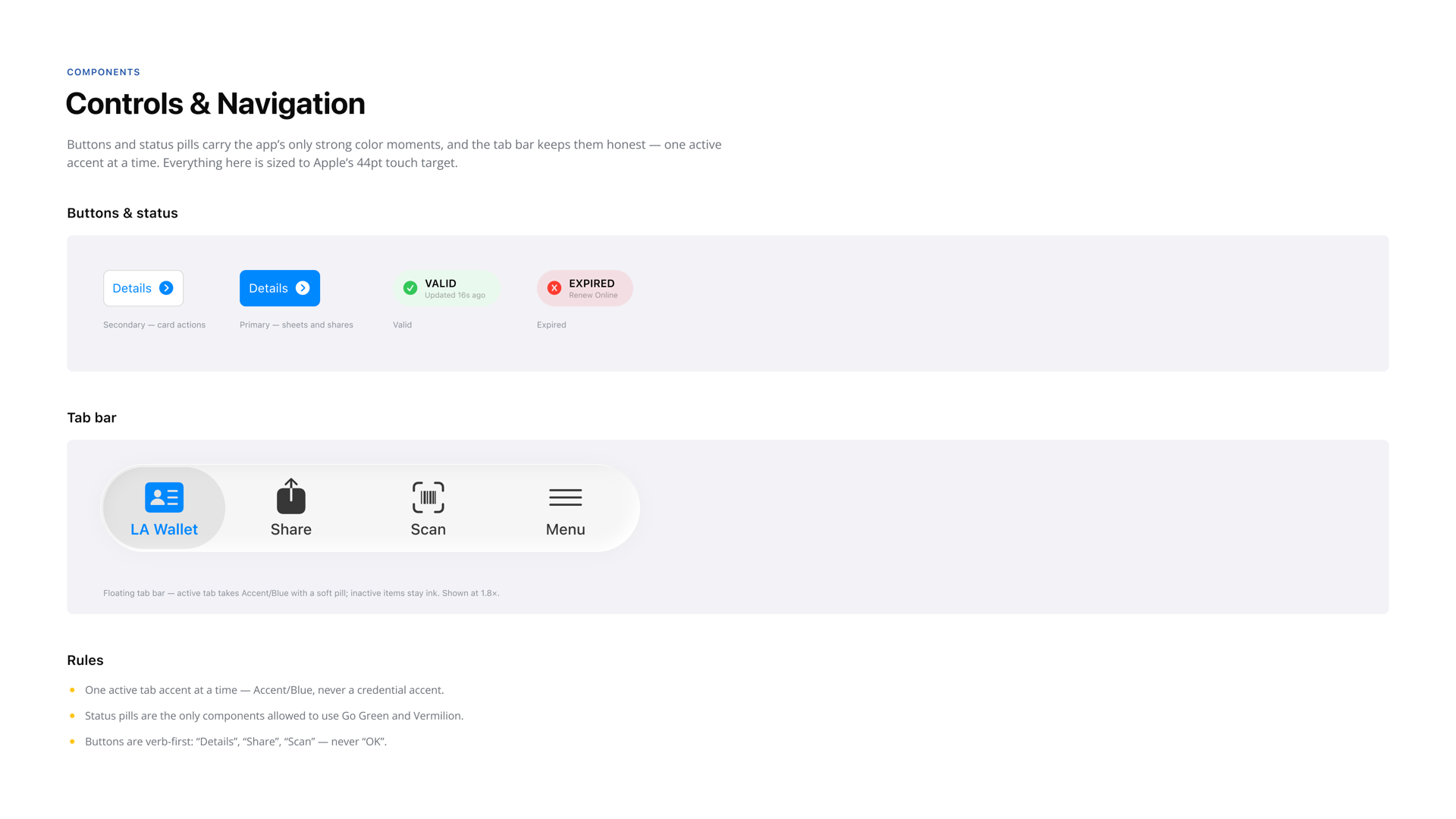
LA Wallet is not one screen. It is a dozen credential types that each carry different data and different rules. To keep it coherent as the state kept adding credentials, I built the design system and visual identity from the ground up: a shared credential card, consistent verification states (valid, expired, updating), light and dark treatments, and a layout any new credential type could drop into without a redesign. I also created the brand itself, including the logo and app icon.
That system is why vehicle registration, concealed carry, and Medicaid all feel like the same product instead of separate one-offs. It also gave the engineering team a predictable handoff as the platform grew.

Design System
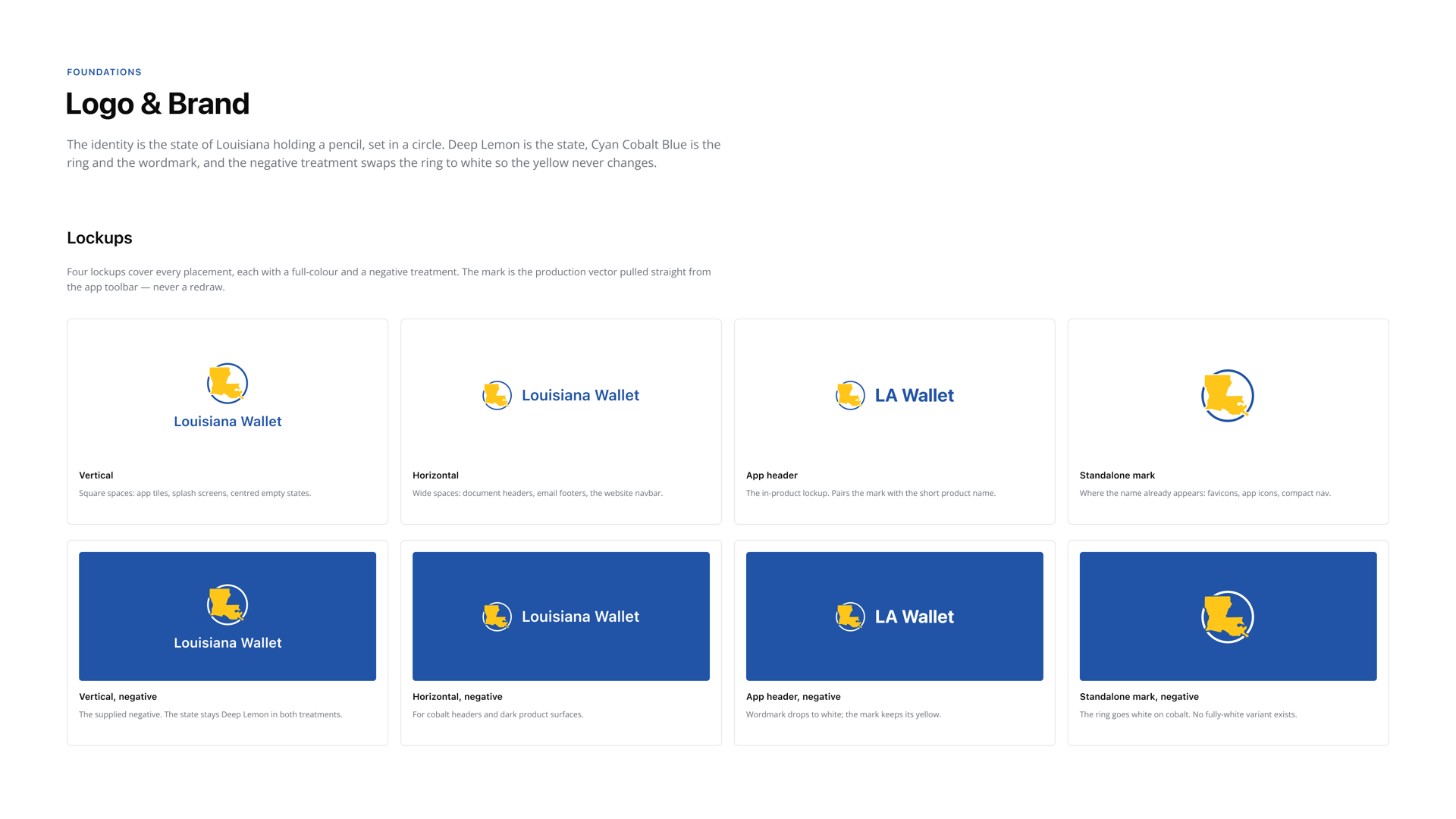
A native iOS design system for Louisiana's digital wallet: 8 brand colors, 12 type styles, 6 components, 4 logo lockups.
The Results
What getting the trust model right made possible.
Trust is what produced these numbers. Because verification held up for both the resident and the verifier, and because onboarding pulled from the state's own records instead of leaning on people to key their data in correctly, LA Wallet earned adoption at a scale no digital ID had reached before. It became the trusted identity platform for over two million residents and set the national precedent for how a state can deliver credentials securely and at scale.
-
1st
Digital driver's license in the nation
-
2.2M+
Active users statewide
-
250+
Airport TSA integrations
-
If you forget your wallet, no worries. You're never going to forget your phone.
Governor Jeff Landry
On LA Wallet's TSA and federal acceptance
-
Most people never leave home without their smartphone, and with this app they'll never be without their driver's license.
Governor John Bel Edwards
On the launch of LA Wallet
Reflection
What the work taught me.
Designing the first of anything means there is no pattern to borrow, so every decision has to be reasoned from the people on both ends of it. The work that mattered most here was not the interface. It was getting the trust model right, and then making it feel like nothing at the moment of use.
The through line, and it is the same one I keep running into, is that some products have a user who never opens the app. Every decision here got easier once I stopped asking what makes this convenient for the resident and started asking what would make the person checking it prefer this to the plastic.