


Louisiana Wildlife & Fisheries - Self Clearing Permitting
Louisiana’s Wildlife Management Areas require a self-clearing permit for every visit. This app moves that process onto your phone: check in, check out, and report harvests without the paper station. I was the contract Senior UX/UI Designer on the original app, working with Envoc for the Louisiana Department of Wildlife and Fisheries, and it shipped on the App Store.
Louisiana Wildlife & Fisheries
Main Screens & States
The core of the app: plan a visit around the activities you want to do, check in to a location, look up WMA areas and refuges, and buy and track the licenses and permits that keep you compliant.
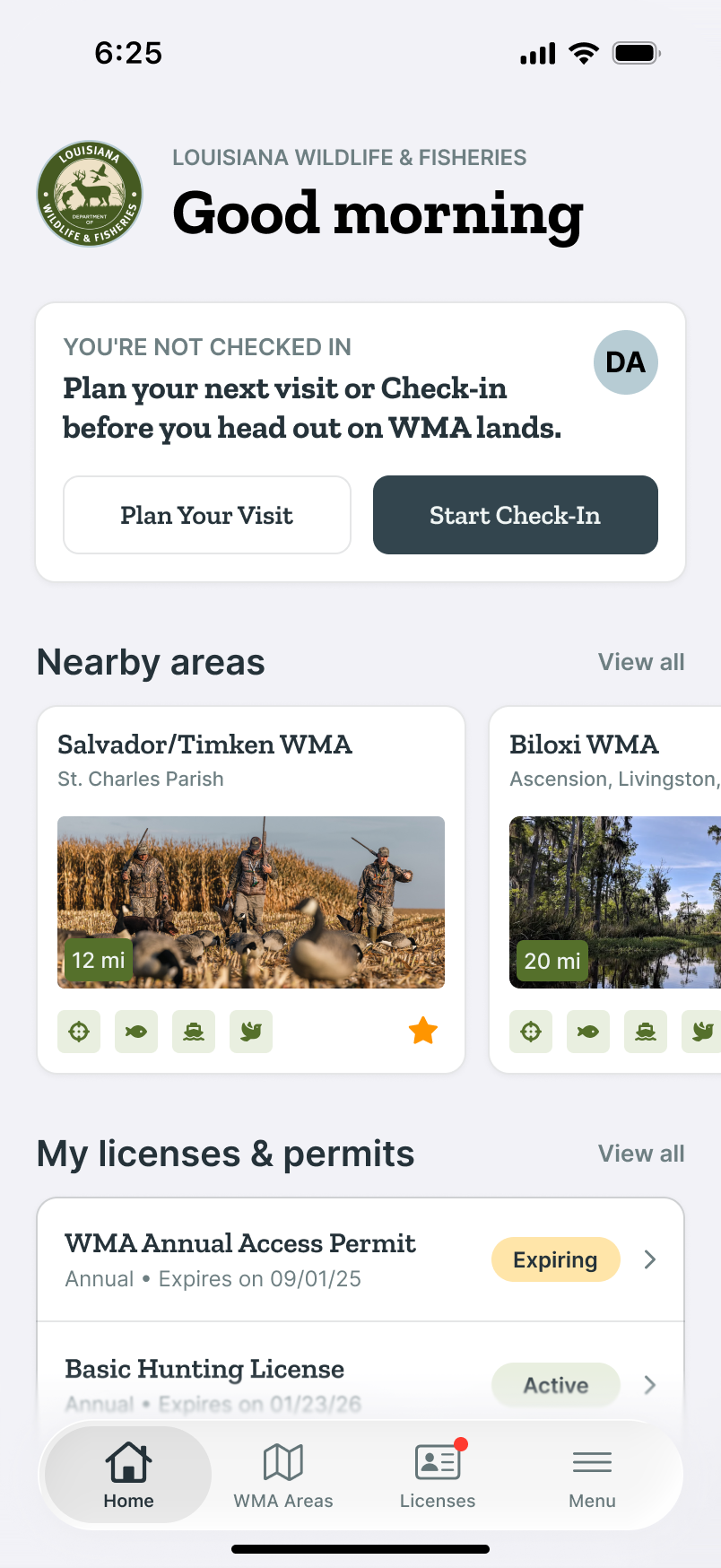
01 · Home · Not checked in
Check-in card directs the user to plan a visit or start a check-in.
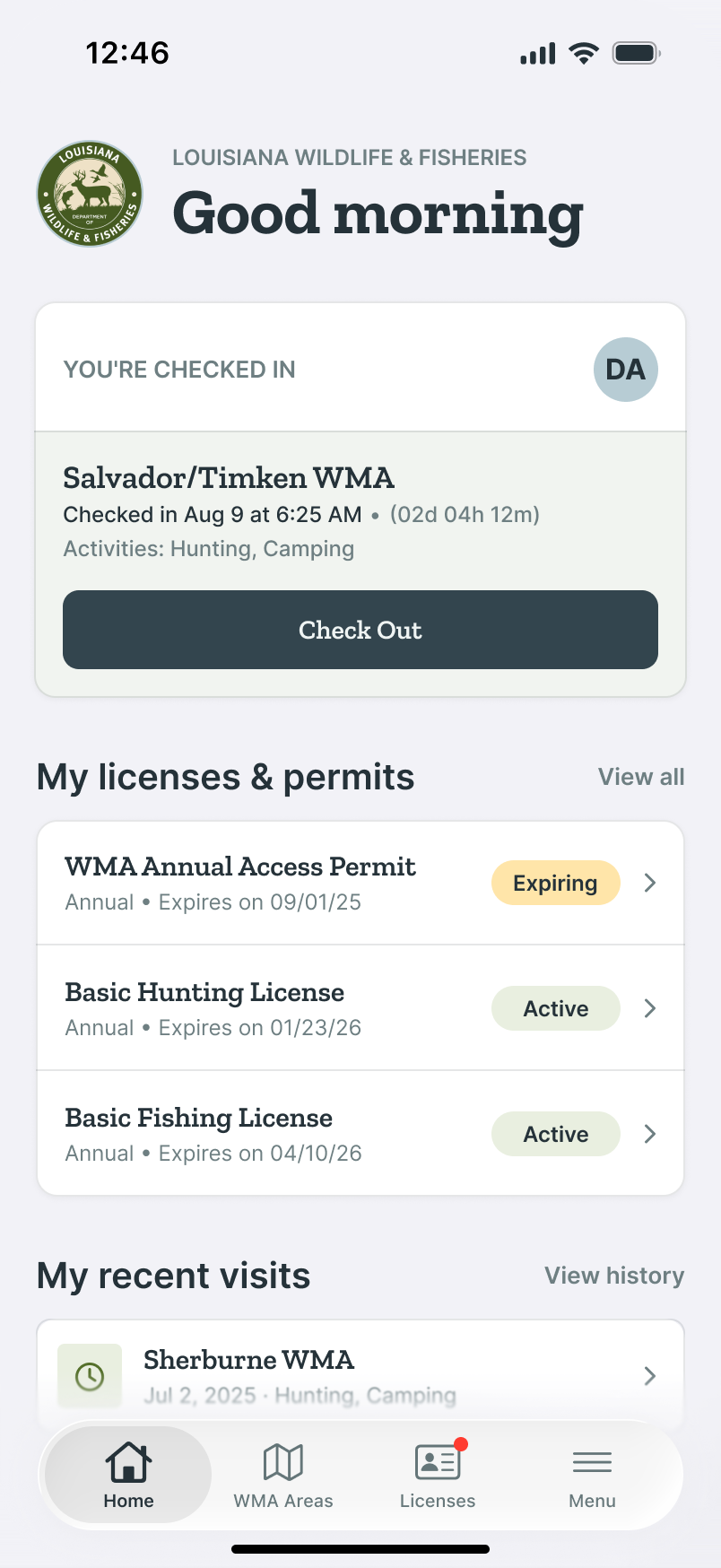
02 · Home · Checked in
When the user is checked in, the UI shows the active visit with a check-out button.
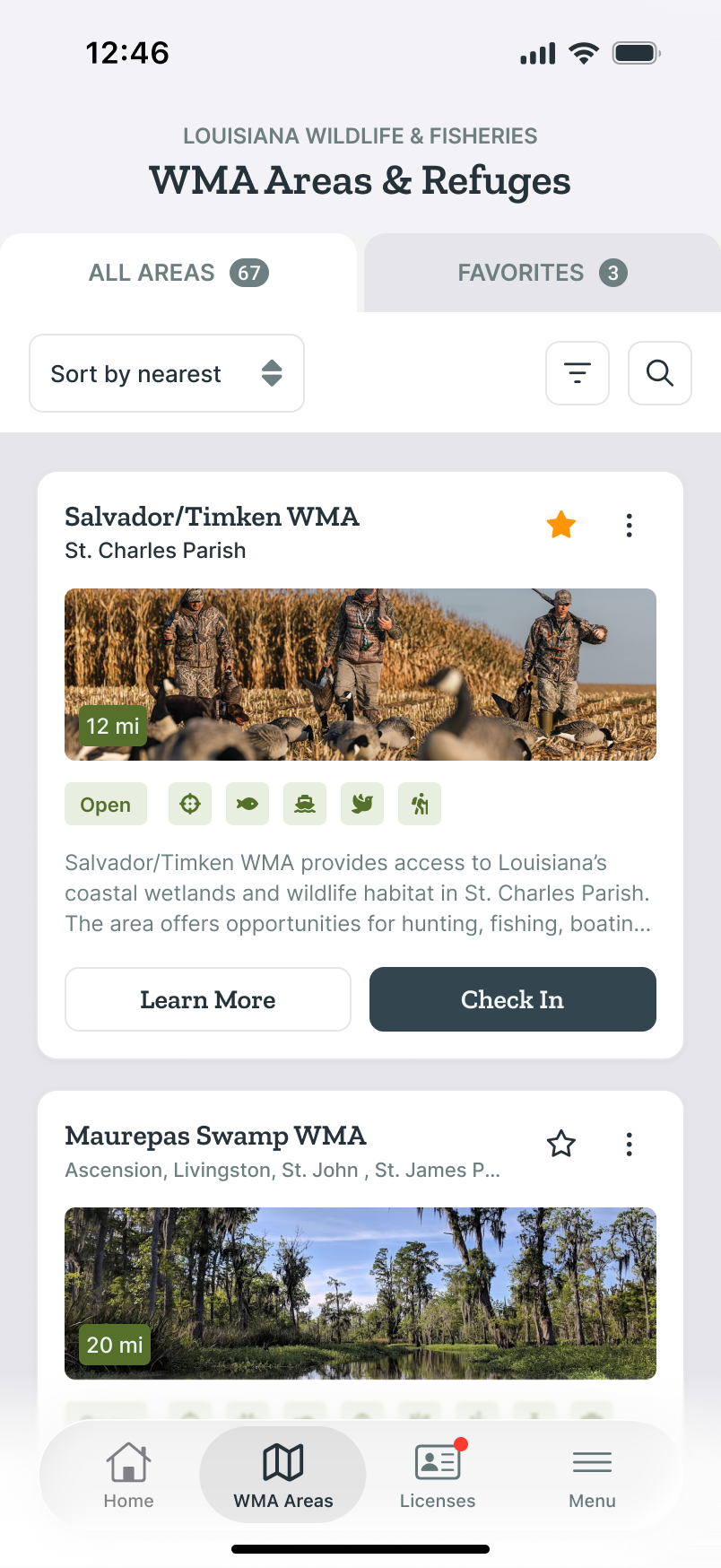
03 · All WMA Areas
67 areas sortable by distance, with favorites and activities at a glance.
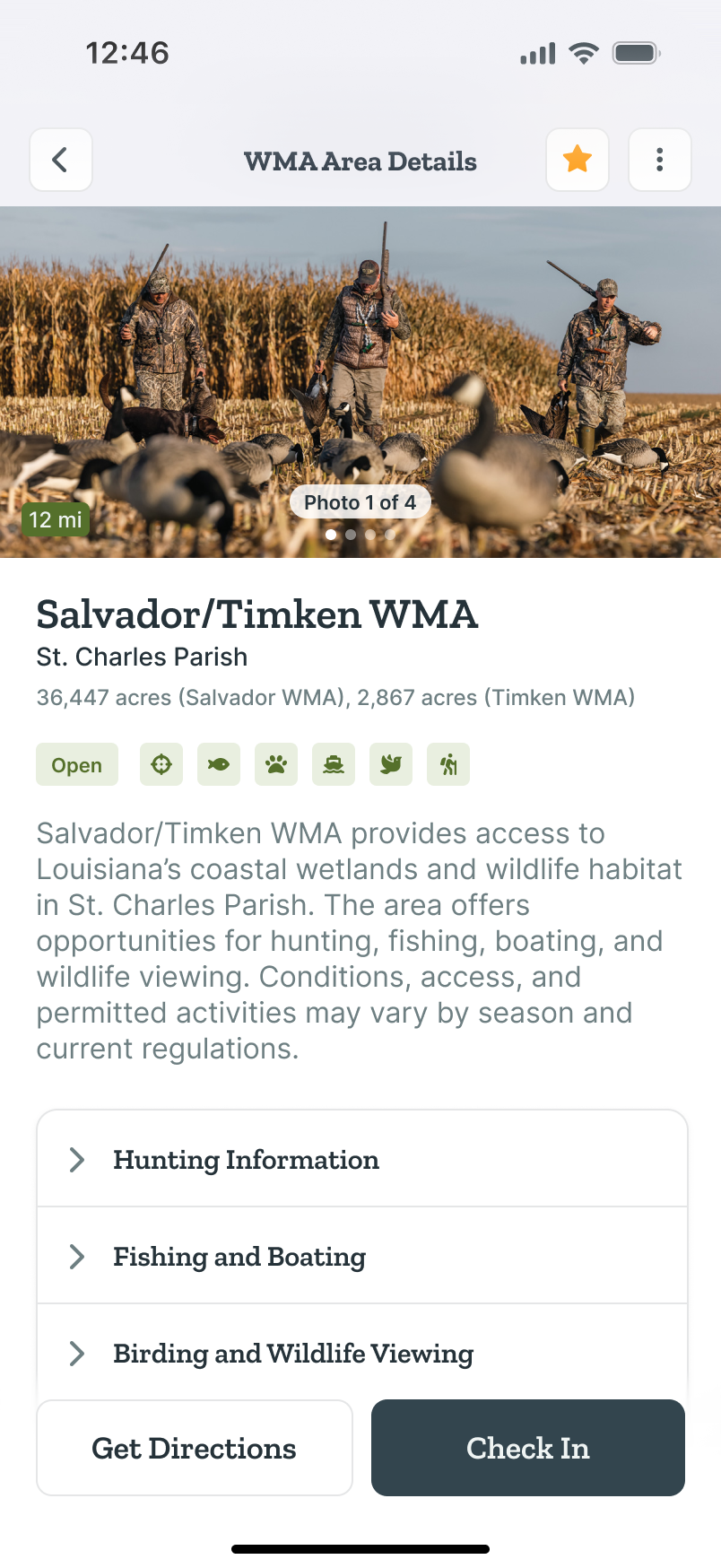
04 · WMA Area Details
Photos, seasonal status, allowed activities, and other information.
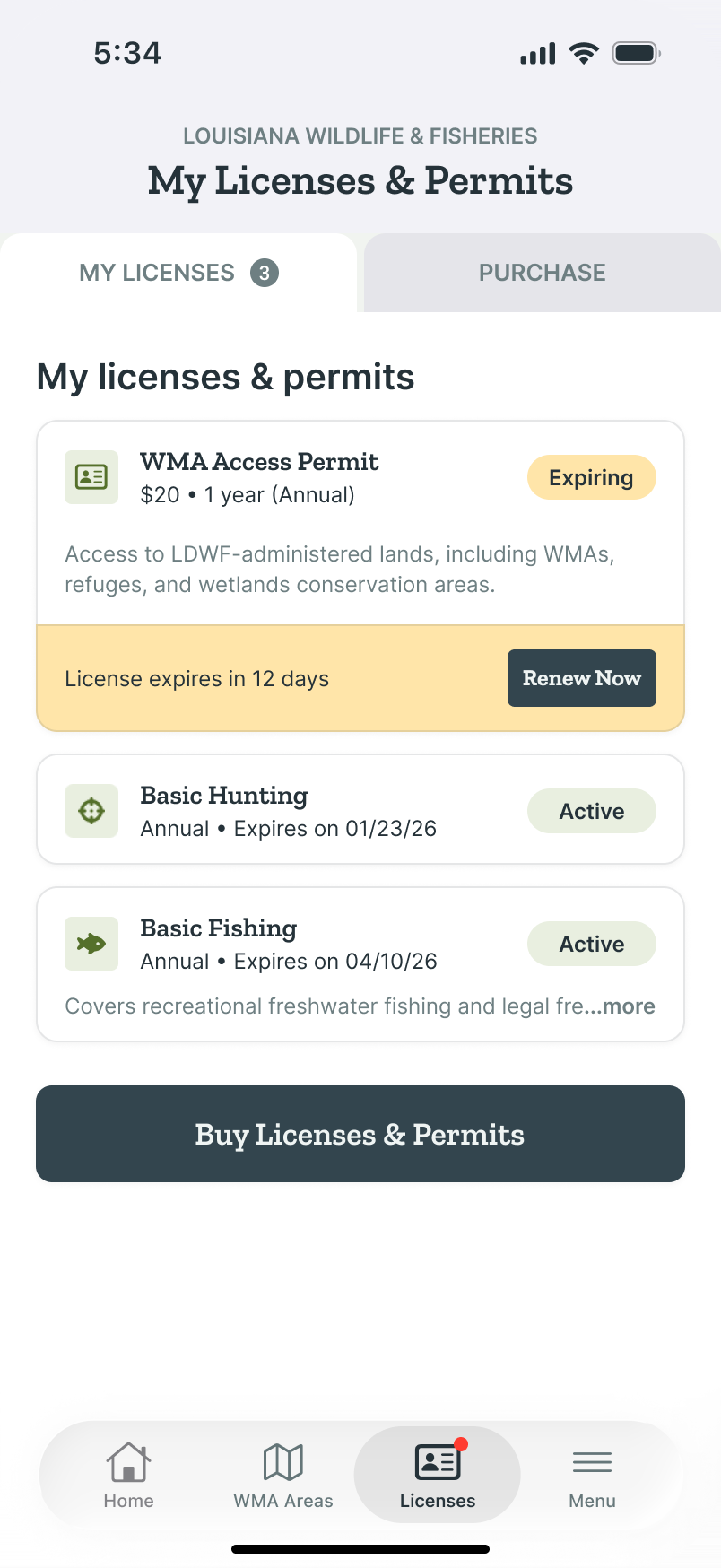
05 · My Licenses
The user’s active licenses & permits appear here with easy access to renew.
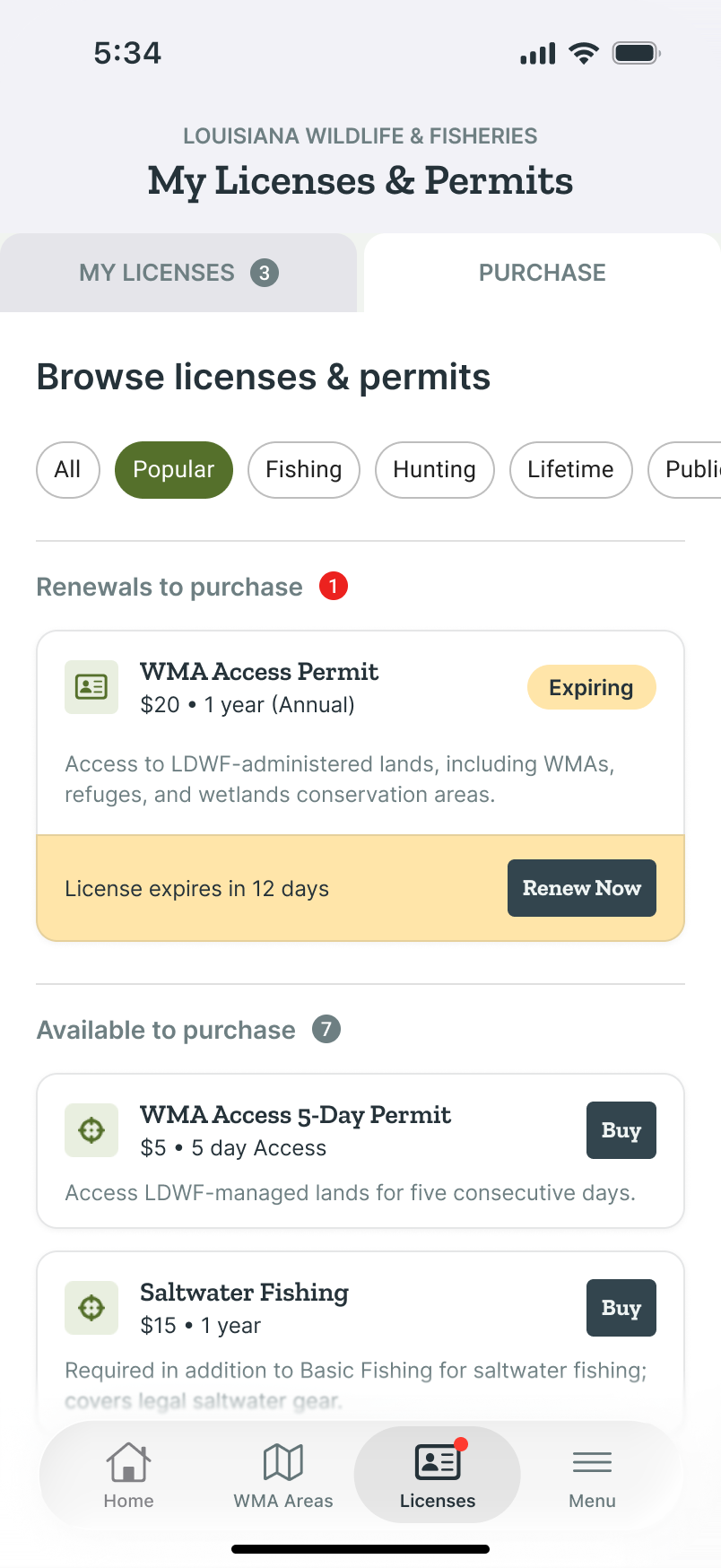
06 · Buy Licenses & Permits
Licenses & permit shopping without leaving the app. Pick, pay, done.
Louisiana Wildlife & Fisheries
Check-In Flow
Every WMA visit legally starts here. Check yourself in, add a companion if you have one, select your location, and pick the activities you plan to do.
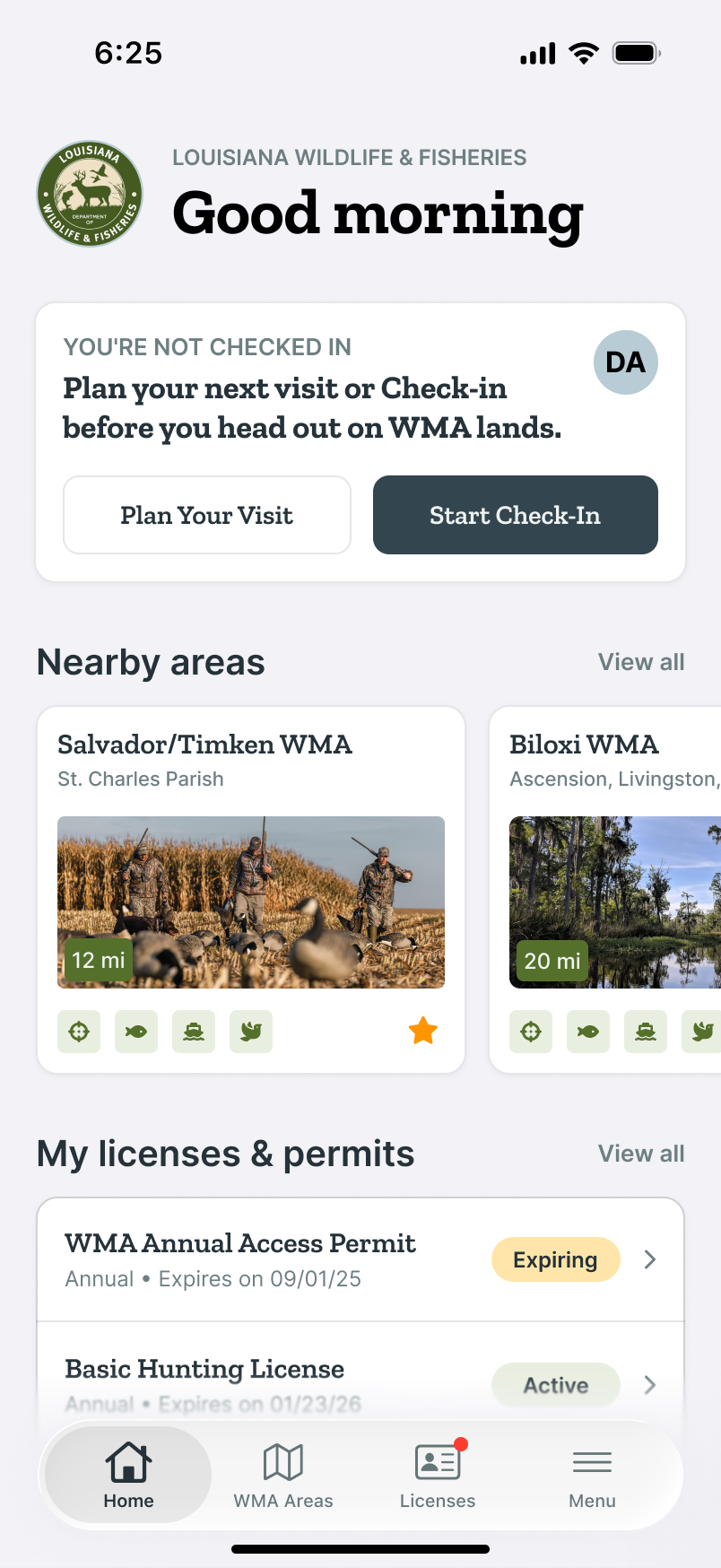
01 · Start on Home
The primary action ‘Start Check-In’ lives in the status card, not buried in a menu.
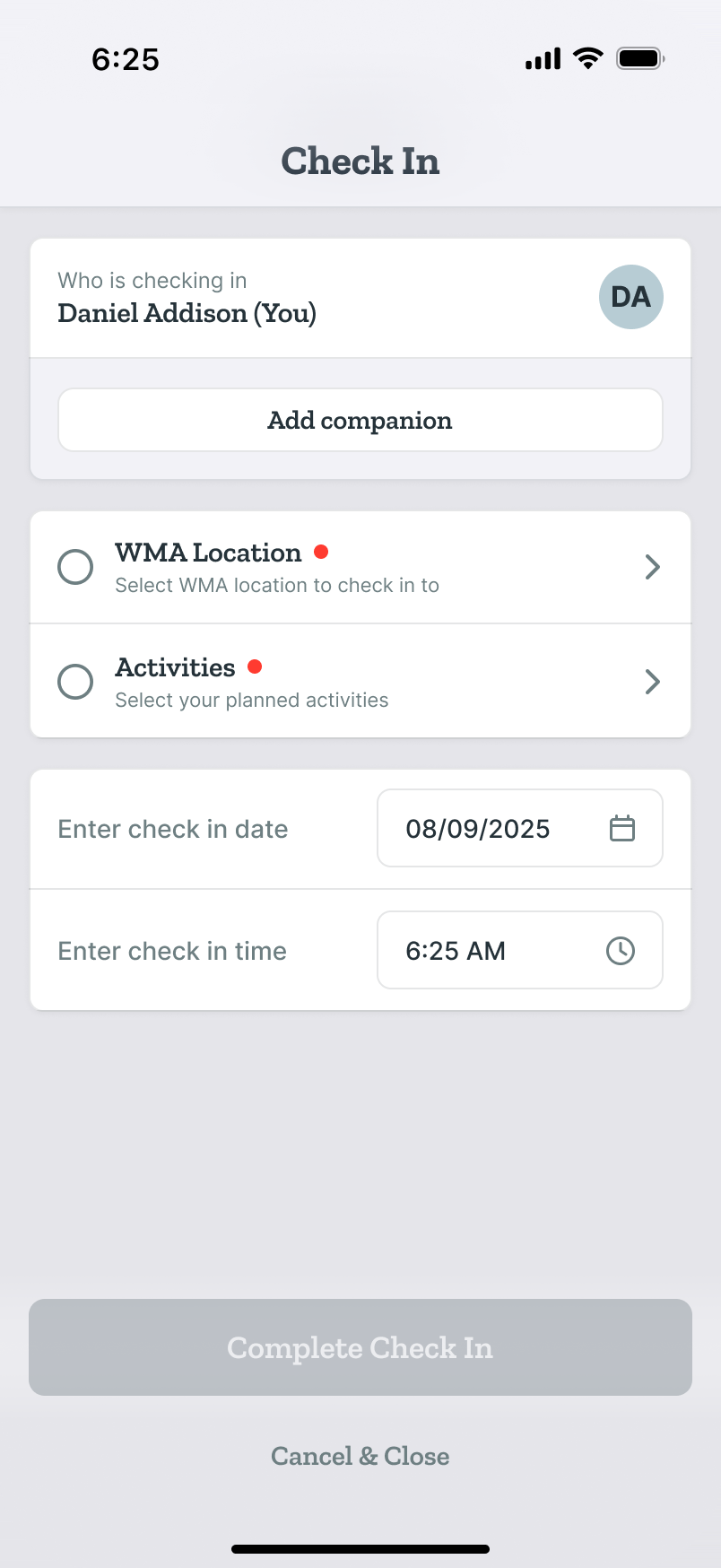
02 · Check In · Incomplete
A clear starting point before a visit: users select WMA location and activities.
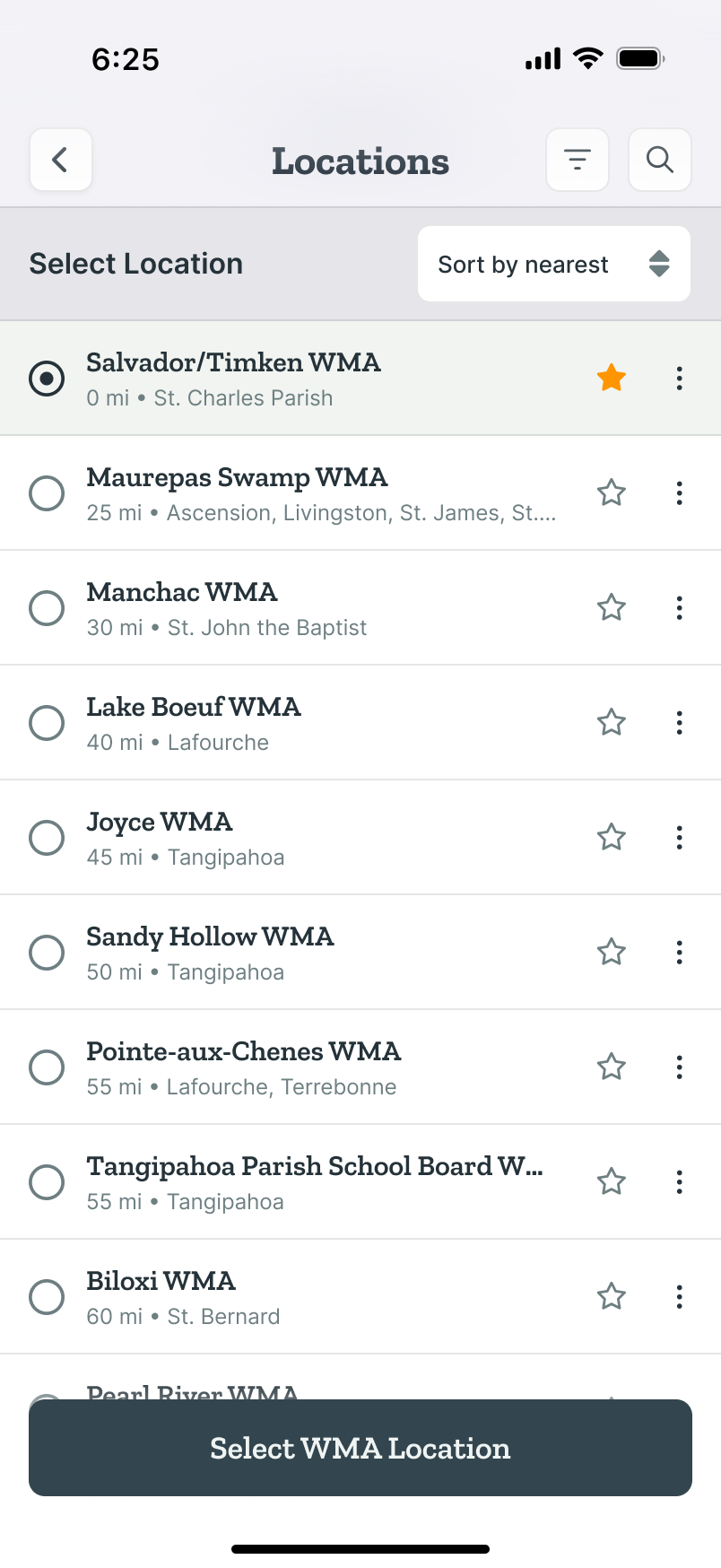
03 · Select Location
Find, sort, and select a WMA location with favorites, filters, and search results.
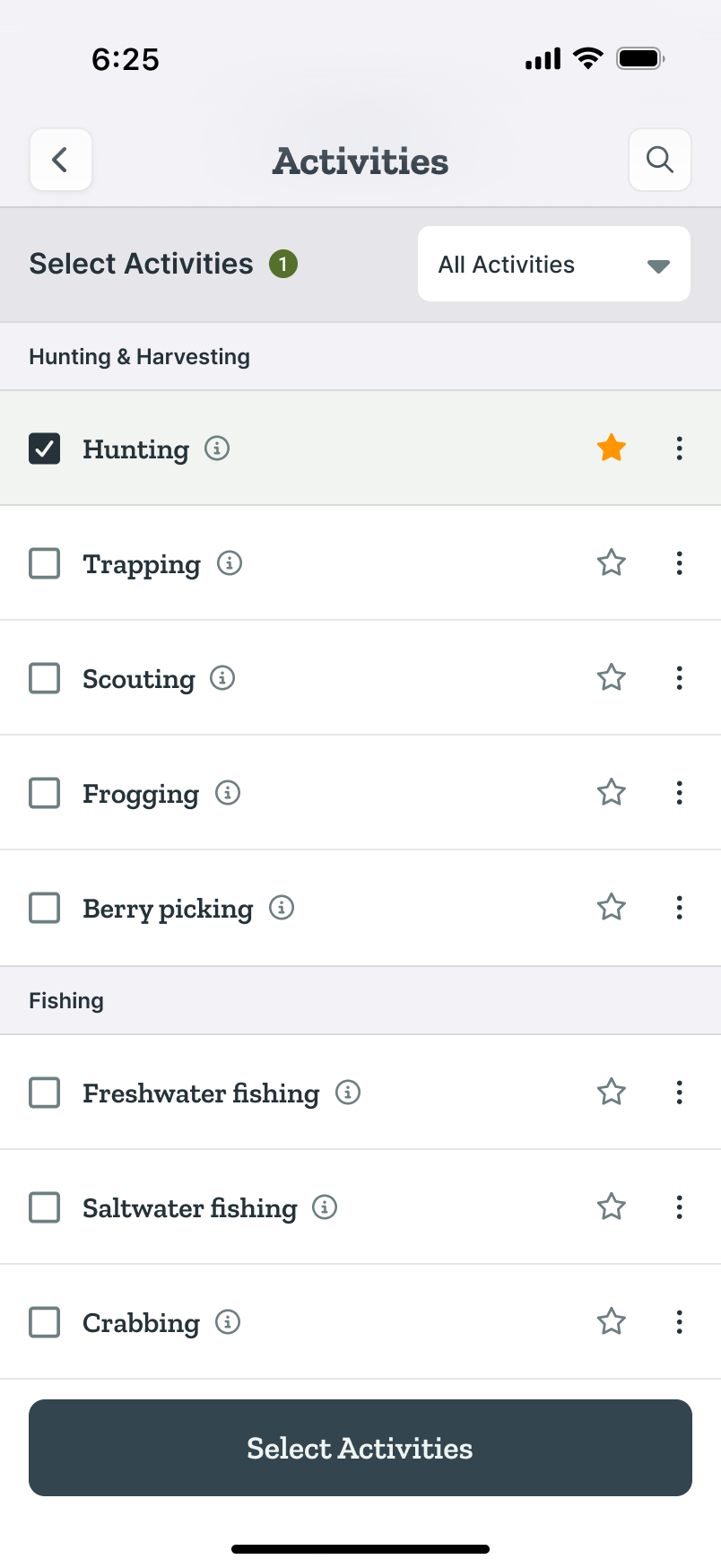
04 · Select Activities
Grouping by activity type makes it easy to report your activities on WMA lands.
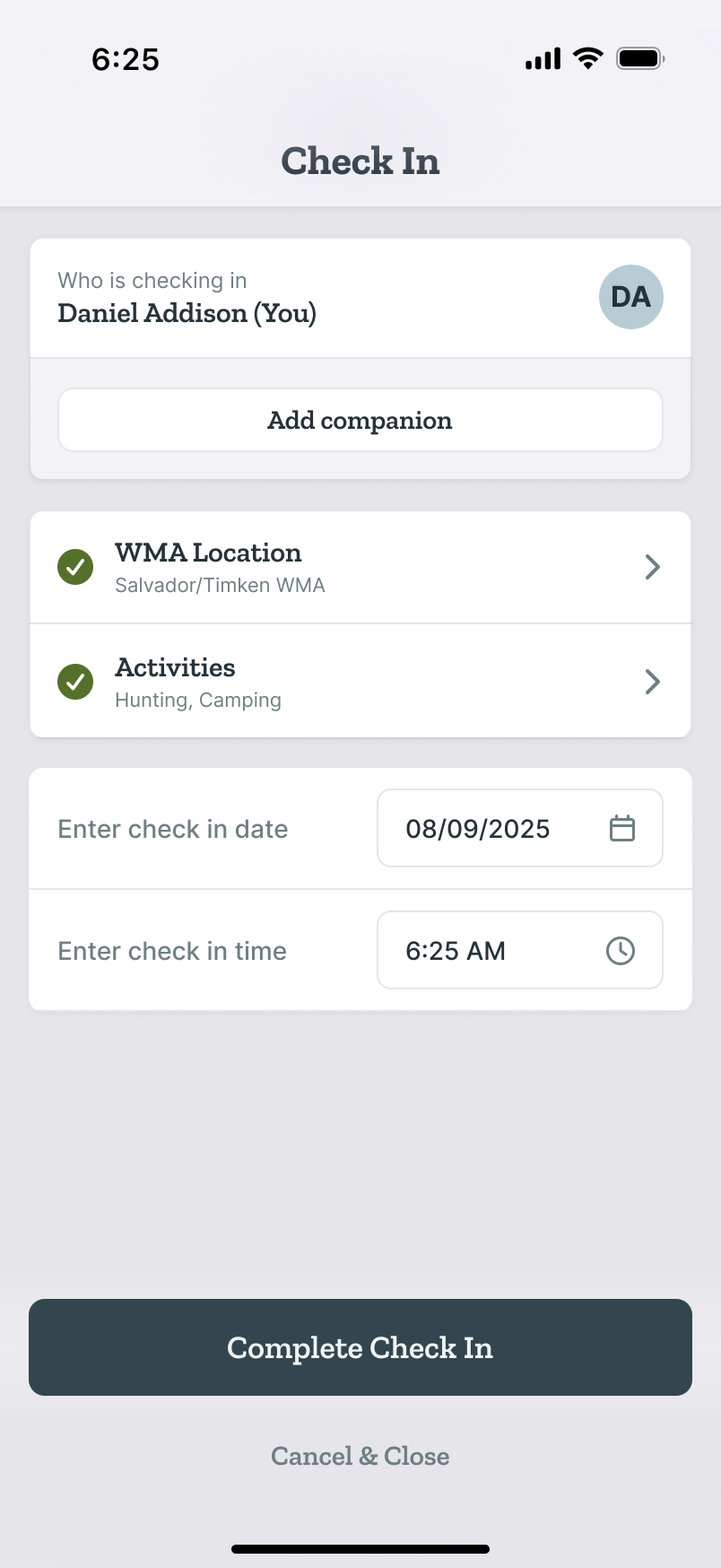
05 · Check In · Complete
Easy check-ins let the user add companions, locations, and activities.
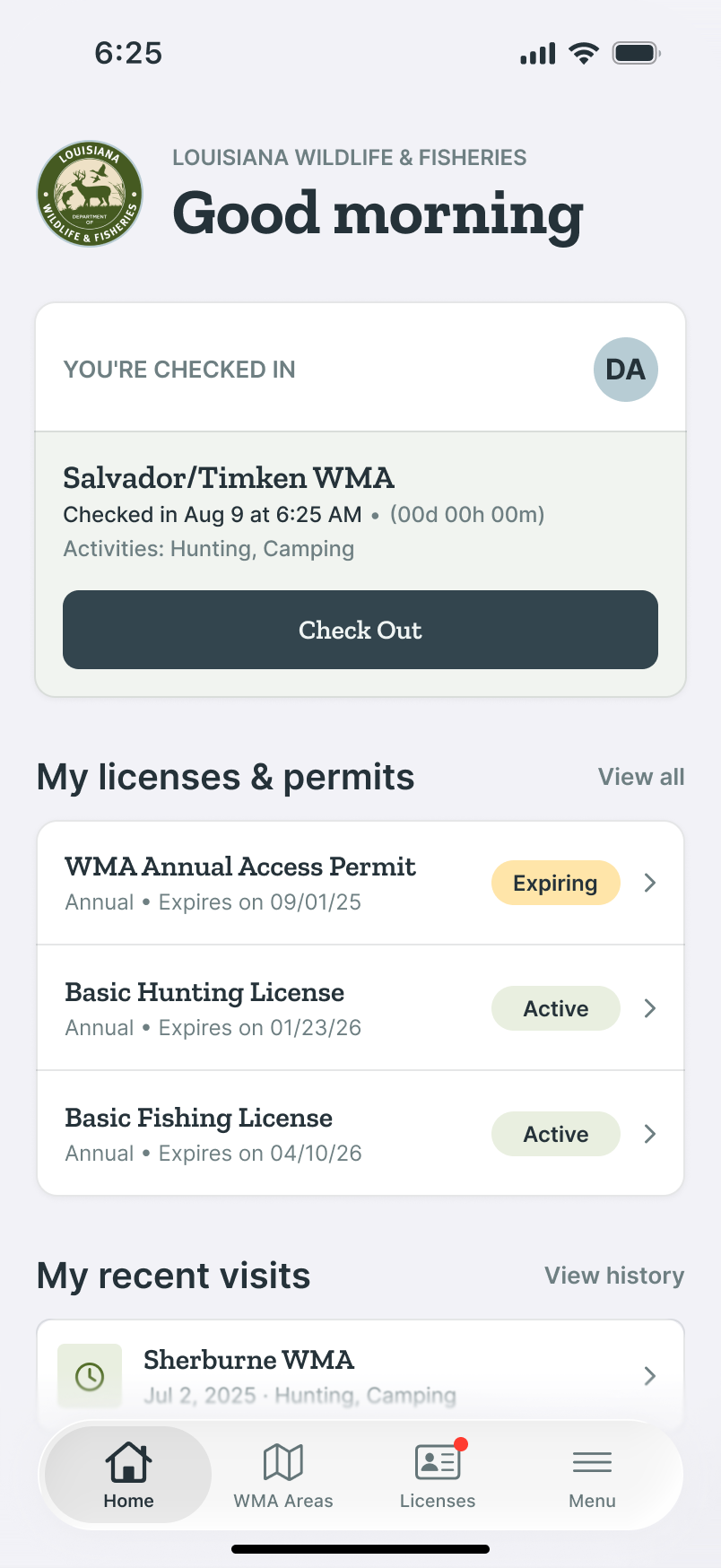
06 · Checked In
The active check-in is prominent on Home, making it easy to find and check out.
Louisiana Wildlife & Fisheries
Check-Out & Harvest Reporting
Closing out the visit is where compliance gets real. Check yourself and any companions out, complete the clearing forms, report each species harvested with the method used, and record tagging details the state requires.
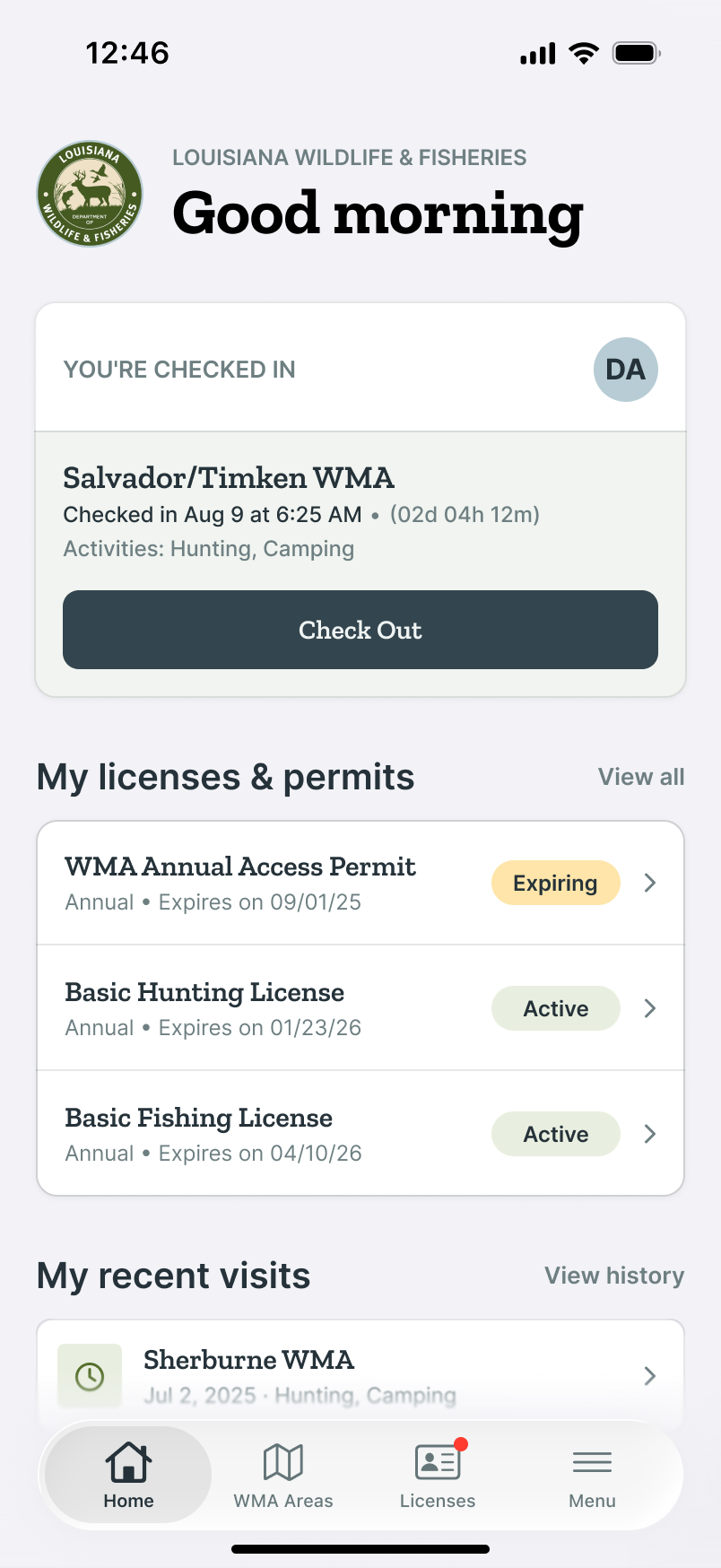
01 · Home · Checked in
Check out starts from the visit card on Home, not a buried menu.
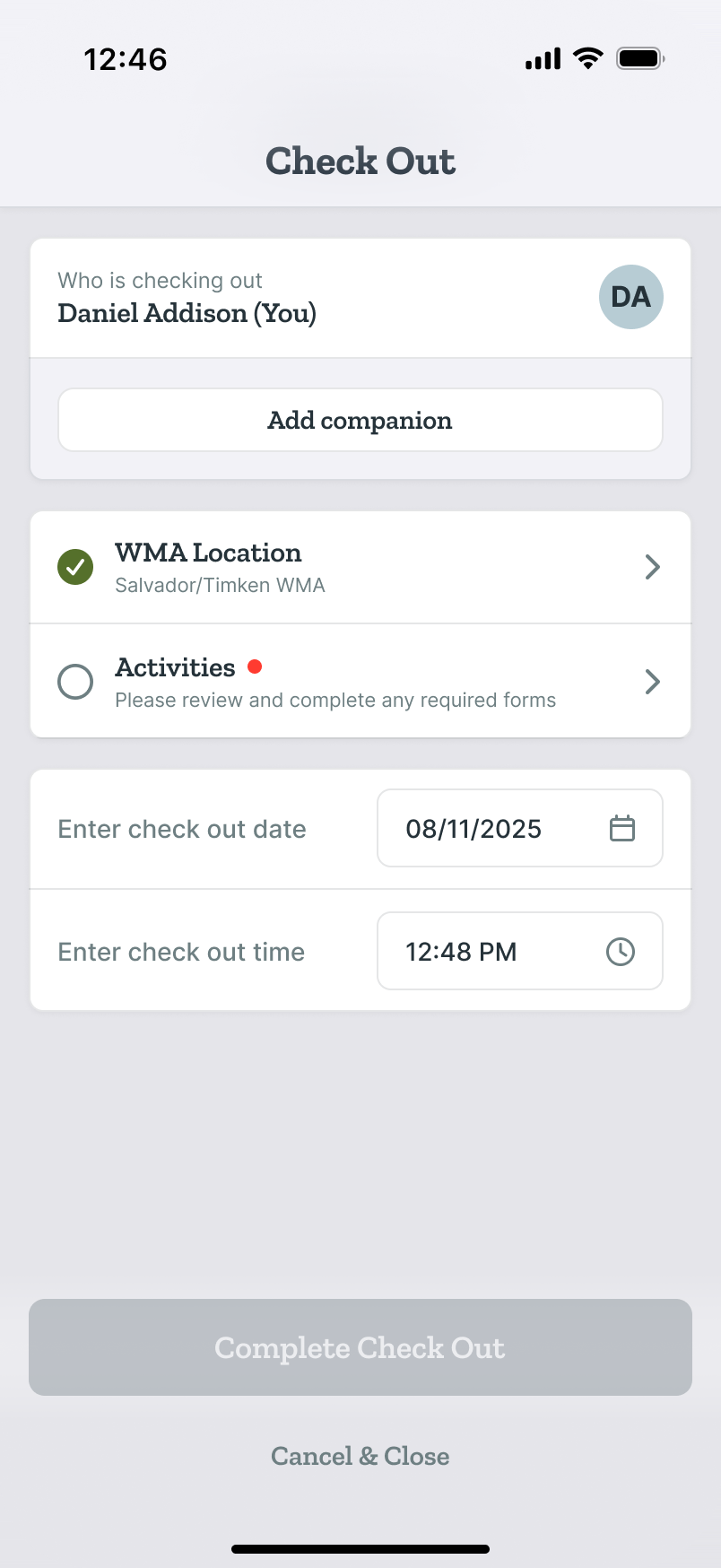
02 · Check Out · Incomplete
Everything from check-in carries over and makes it easy to confirm activities.
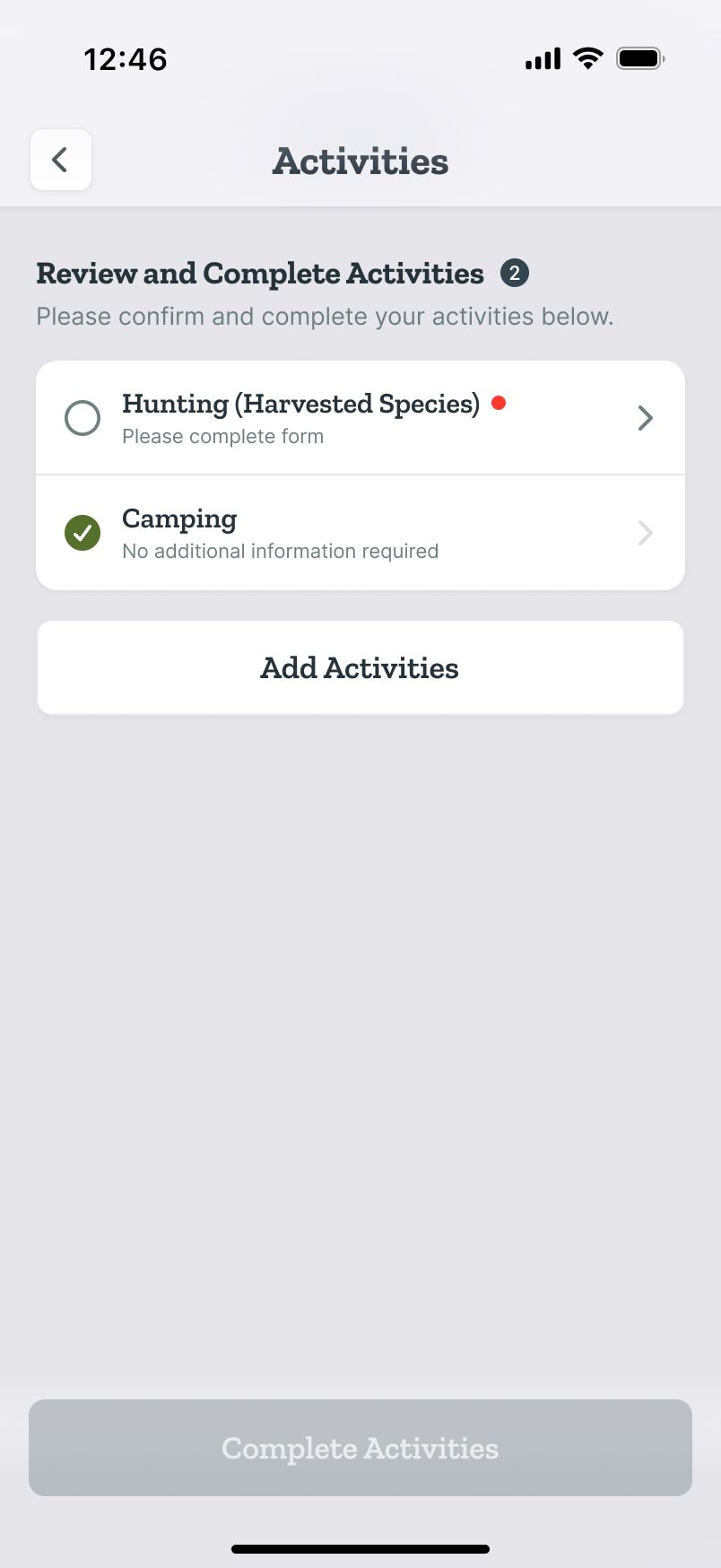
03 · Activities · Incomplete
Users are directed to activities that require additional information.
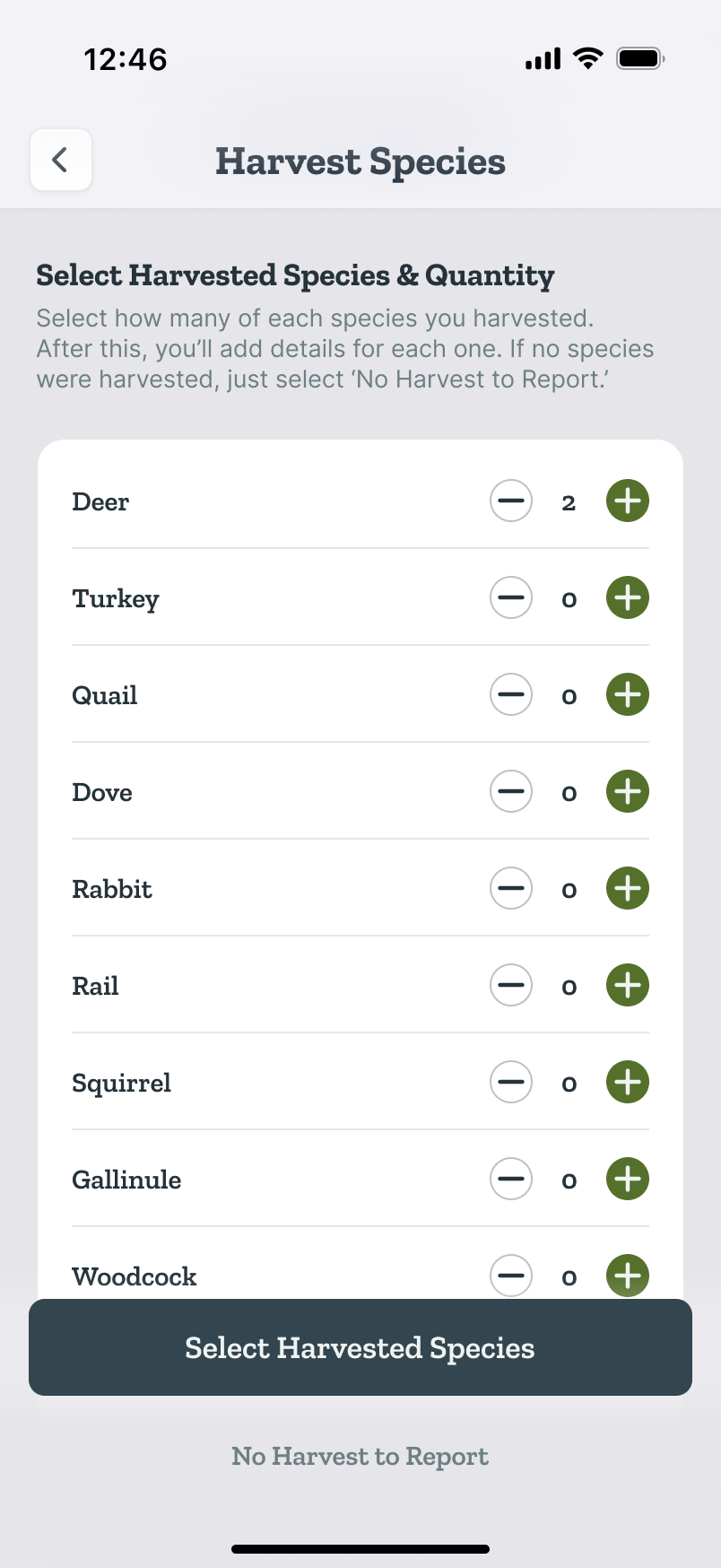
04 · Harvest Species Picker
Users can easily add species and quantities to report.
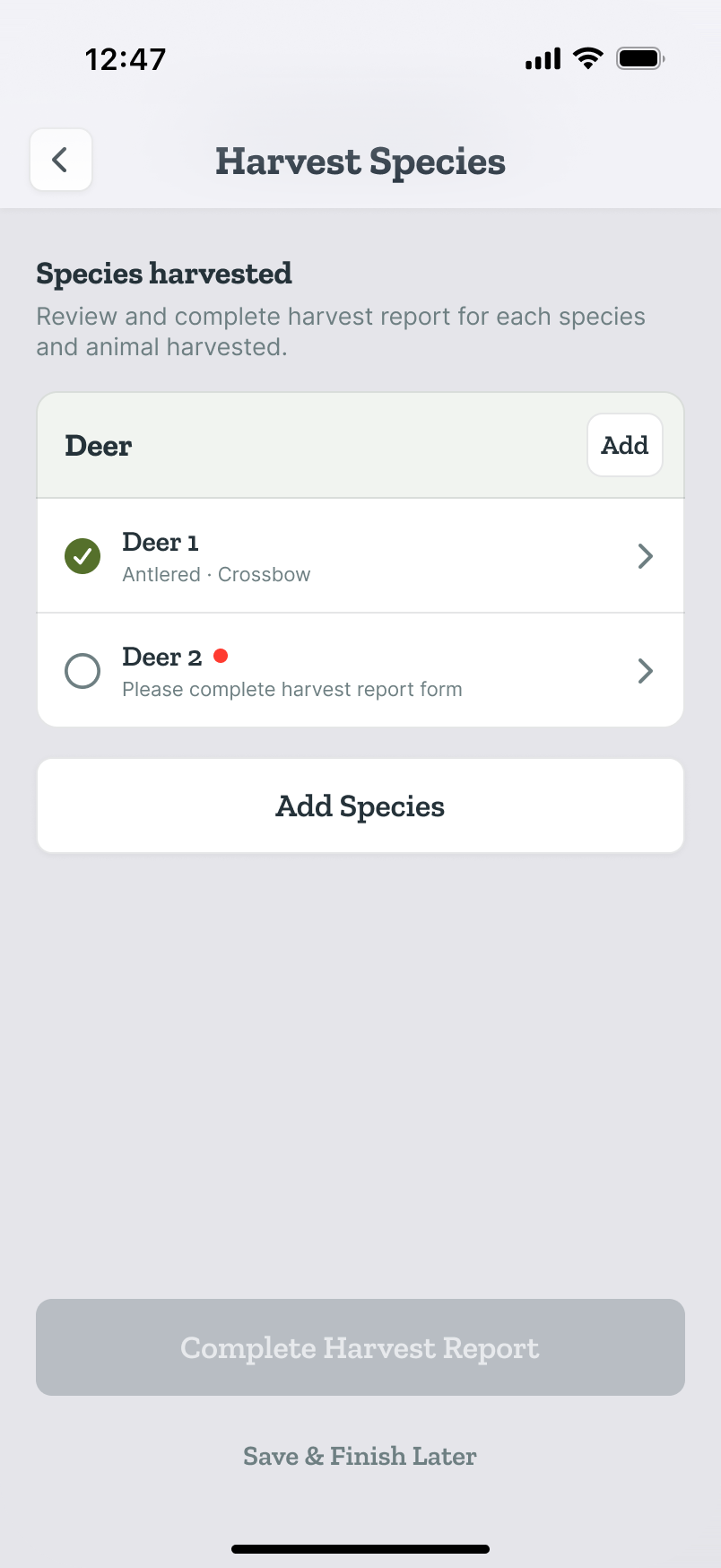
05 · Species Harvested
Each animal gets its own record, tracked until every report is complete.
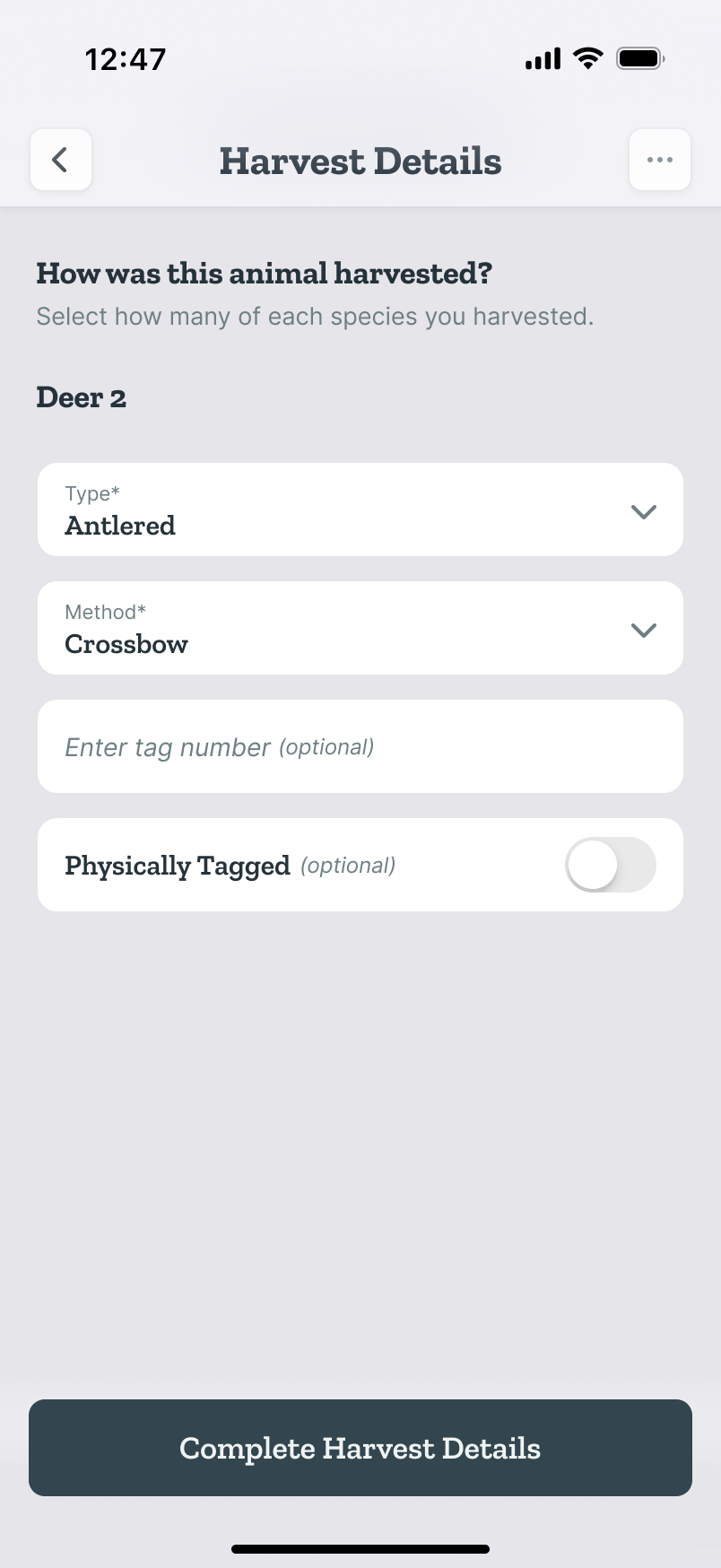
06 · Harvested Species Detail
A record per animal: type, method, and tag number.
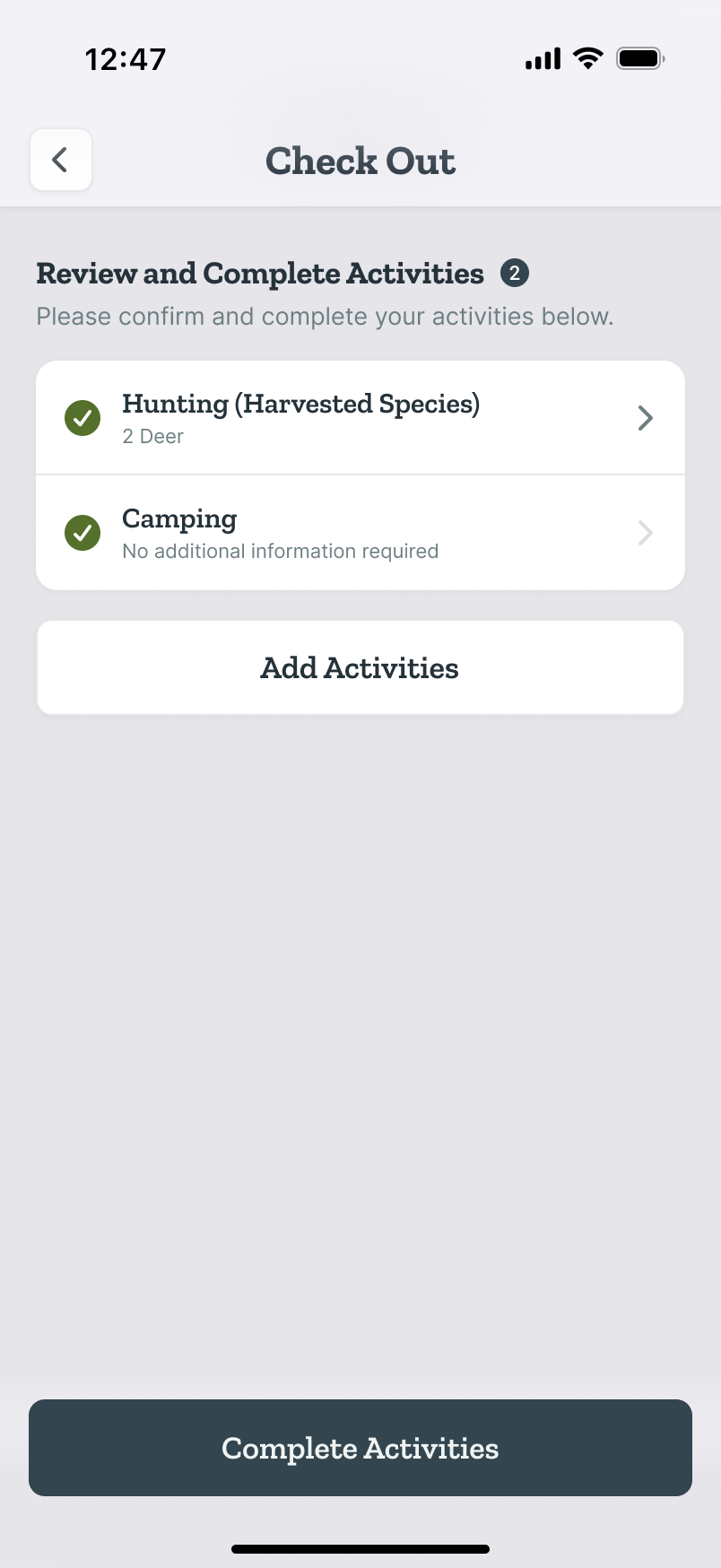
07 · Activities · Complete
Confirm what you actually did. Regulations differ by activity.
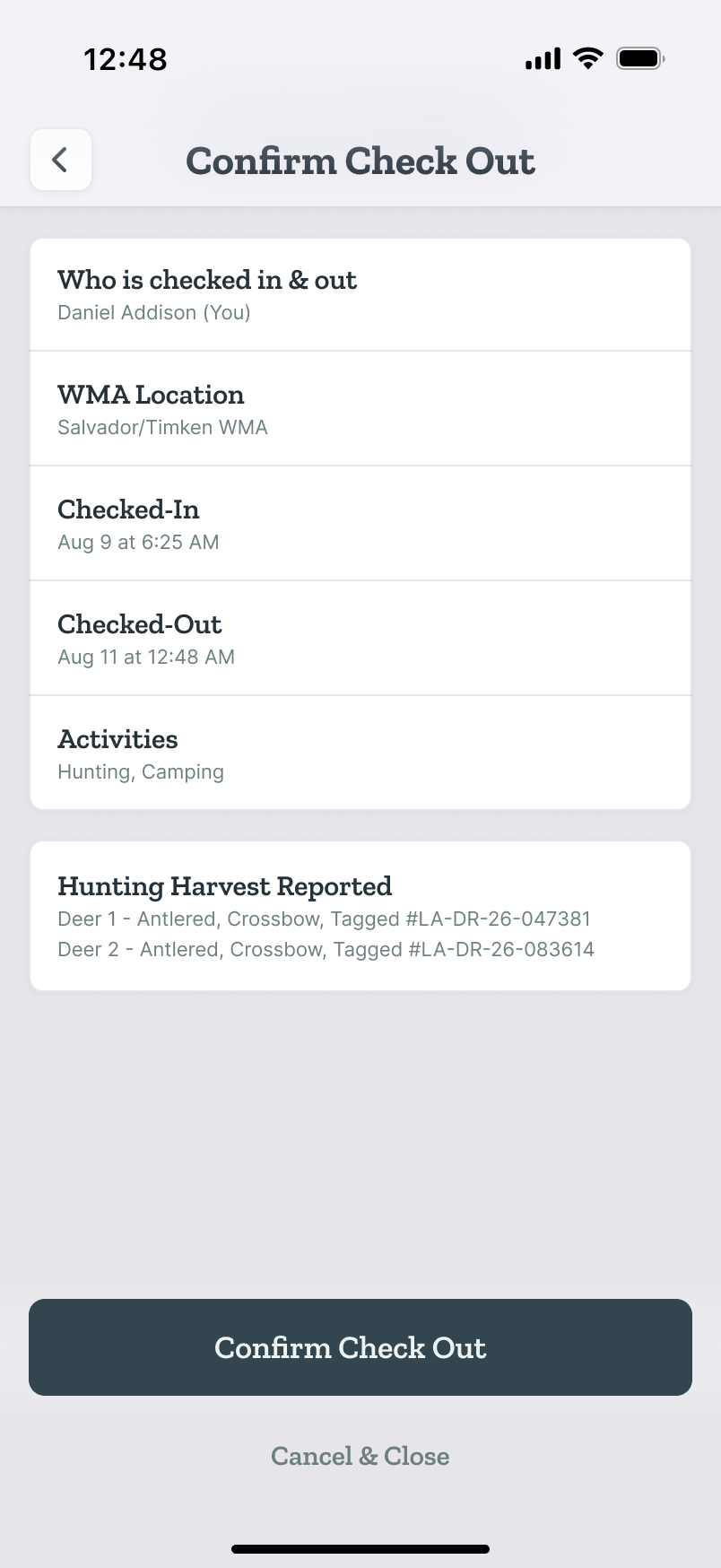
08 · Confirm Check Out
The summary doubles as a compliance receipt, tag numbers included.
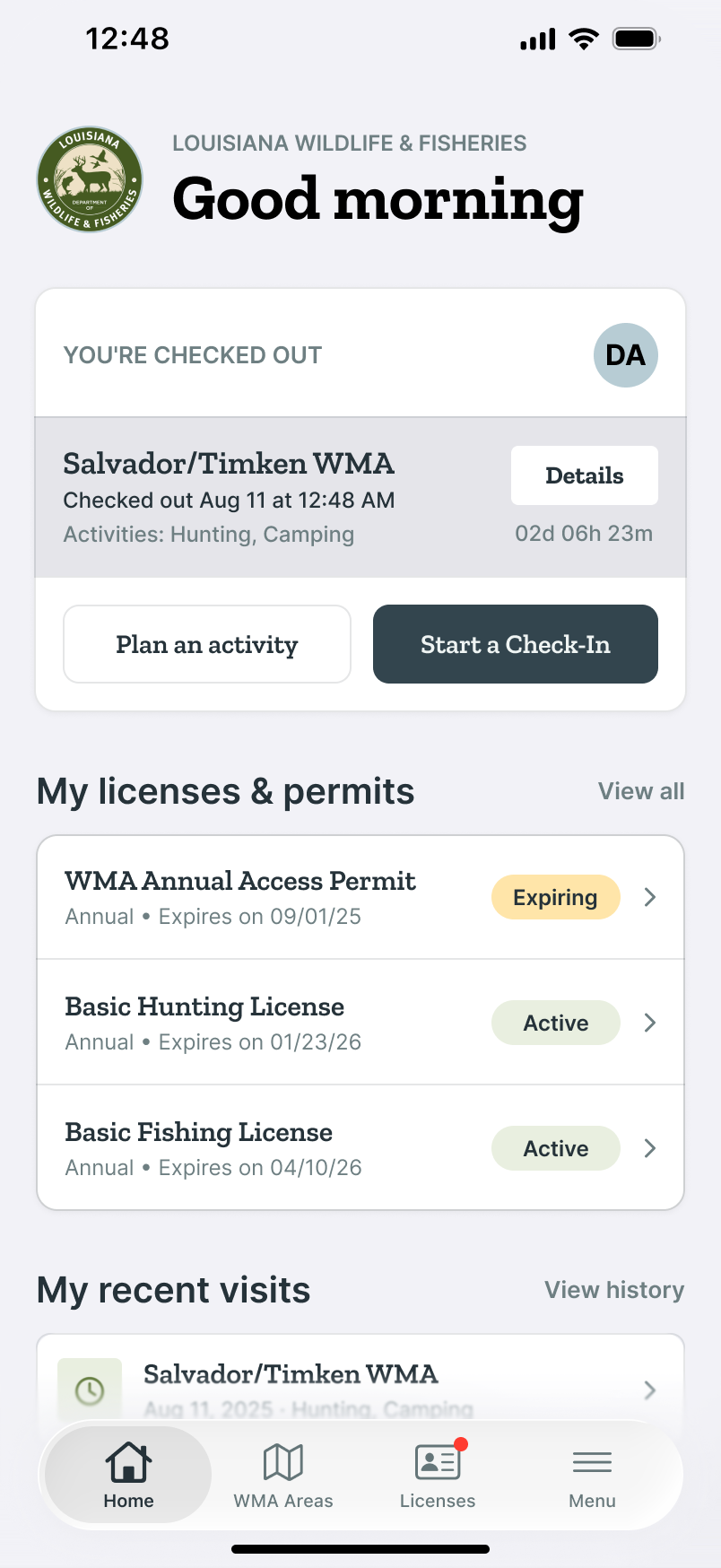
09 · Checked Out
Home resets, with the visit logged under recent visits.